

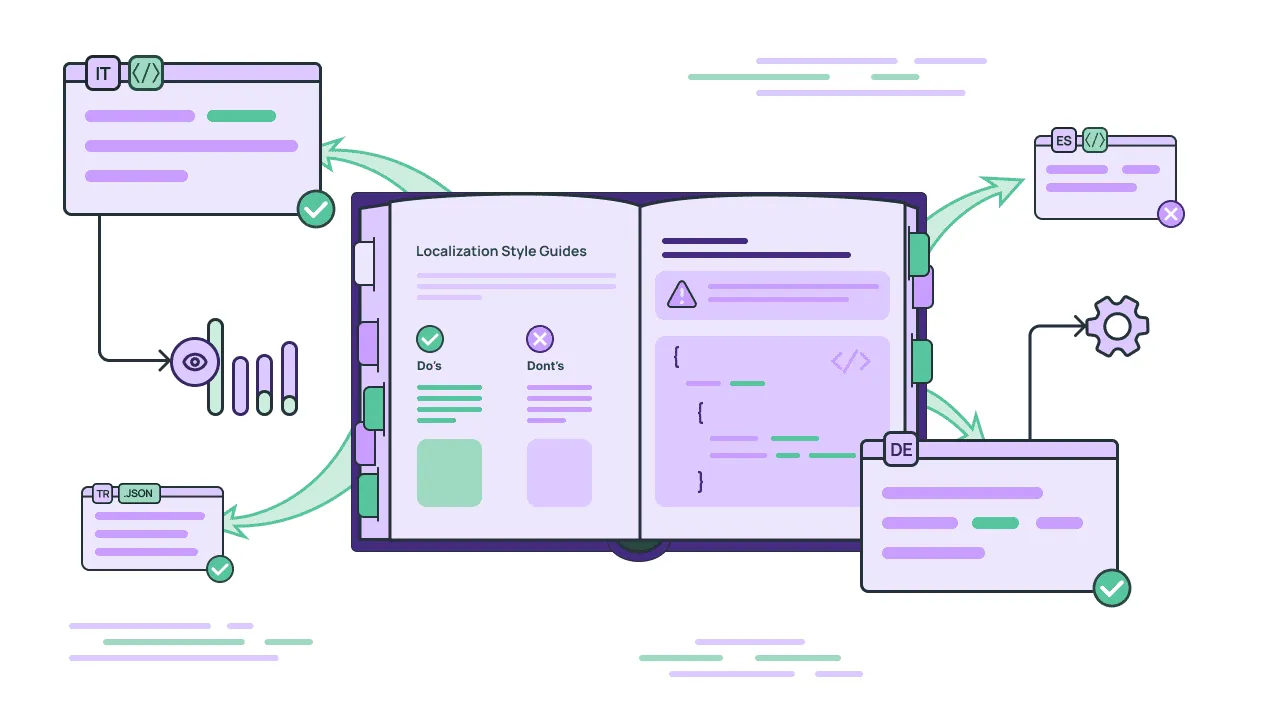
There’s a running joke in the translation industry: two linguists can’t agree on whether a translation is correct. At Crowdin, we don’t think the problem is the linguists – it’s that different humans (and AIs) have different quality standards by default. If requirements are communicated clearly enough, two people and an AI should arrive at the same conclusion.
We also see this reflected in the data: the same LLM model, on very similar content, produces wildly different post-edit distances across different clients. This isn’t because the model is inconsistent, but because different clients have different expectations. Some require good-enough compliance, while others require strict adherence to specific national spelling rules. Without a shared standard, every variant becomes a potential critical error.
While our AI Pipeline and Copilot can produce high-quality, coherent translations within a single file, the challenge has always been: How do we guarantee consistency across thousands of files? The answer is Style guides.
What are Crowdin Style guides?
It’s a new native feature in Crowdin and Crowdin Enterprise that moves your brand rules out of a static document and directly into the localization pipeline.
Instead of a reference file, your style guide becomes a functional instruction manual for both your human translators and your AI models.
See the Style guides overview on a real translation project:
Want to know how to create style guides in Crowdin? Jump here.
How you can use Style guides in the AI localization workflows
1. Enrich your AI prompts
Generic AI translations are generic because they lack context. When you use the Crowdin AI Pipeline or AI Pre-translation, they now “read” your Style Guide before translating a single word.
If your guide says “avoid passive voice” or “stay gender-neutral in Polish”, AI automatically incorporates these instructions into its prompt. As a result, you stop getting “correct” translations that you still have to rewrite.
2. AI-Powered QA
Manual QA is the biggest bottleneck in AI workflows. Crowdin uses Style Guides to power automated QA checks.
- Real-time Editor checks: If an AI (or a human) uses the formal “Pan/Pani” in Polish when your guide mandates the informal “ty”, the system flags it immediately.
- Shift-left quality: You catch tone and style errors during the translation phase, not weeks later during a manual human review.
3. Crowdin Copilot app
Our AI agent, Crowdin Copilot, uses your style guide as its source of truth. It can analyze existing translations, identify where the brand voice has drifted, and suggest “on-brand” corrections with one click.
How to create a localization Style guide in Crowdin
You don’t need to spend weeks drafting a new document to get started. Crowdin gives you 2 ways to feed your brand rules into the AI localization pipeline:
Option 1. Upload as a file
If your localization team already has established guidelines, don’t start over. You can upload existing files directly to the Style Guides section. Crowdin supports the most common documentation formats: .docx, .pdf, .md, and .xlsx.
Once uploaded, the system parses these rules so the Crowdin Copilot can reference them as “ground truth” during the translation process.
Option 2. AI-generated style guide
If you are launching a new product or don’t have localized guidelines yet, you can use the AI Generator.
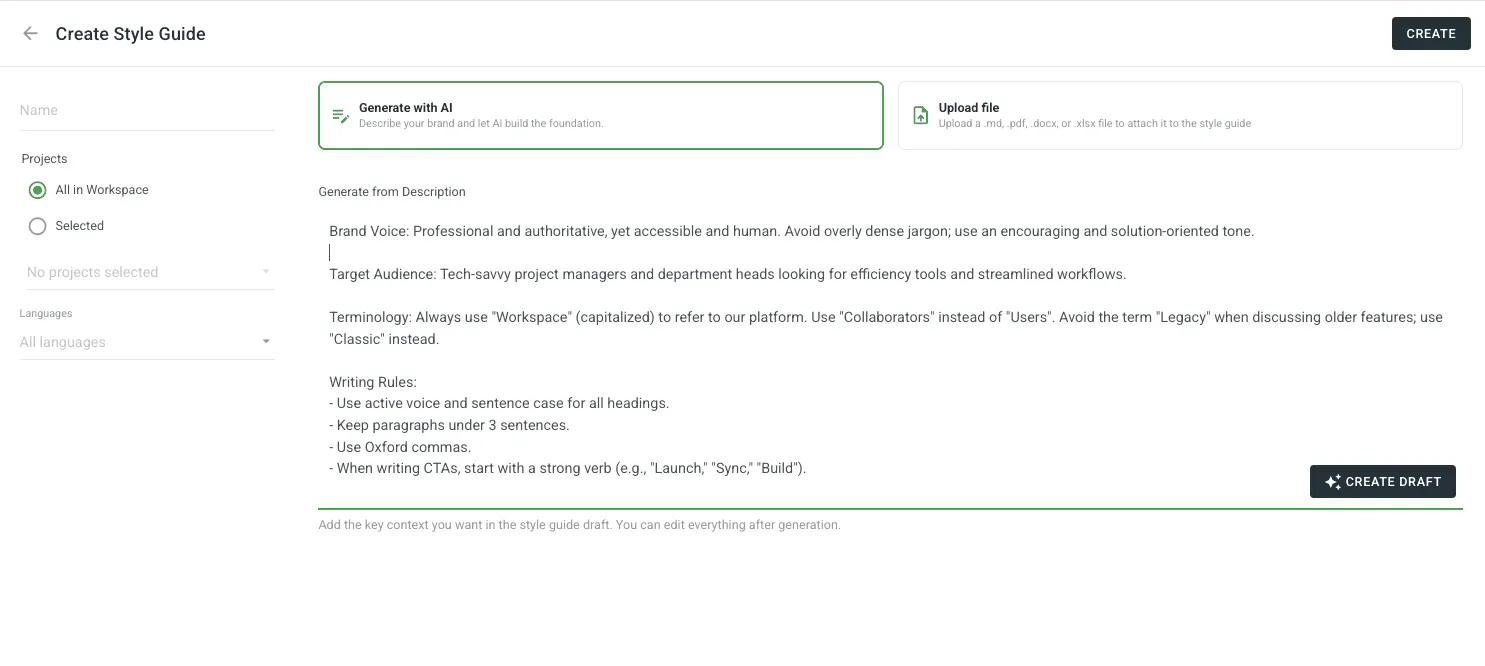
- Input your brand persona: Describe your voice in plain English (for example, “We are a B2B SaaS tool; our tone is professional but helpful; avoid passive voice and stay gender-neutral in European languages”).
- Automatic rule creation: AI will automatically generate a tone matrix, punctuation rules, and grammar constraints tailored to your description.
Flexibility and ownership
As your brand evolves, your localization rules should too. Crowdin gives you the flexibility:
- The project manager can edit the style guide at any time. As you add new products, change your brand voice, or discover new linguistic rules, simply update the guide in Crowdin to ensure your AI and human teams stay aligned.
- You can download your AI-generated style guide directly to your device to share with other departments or keep for your records.
Connecting style guides to your AI
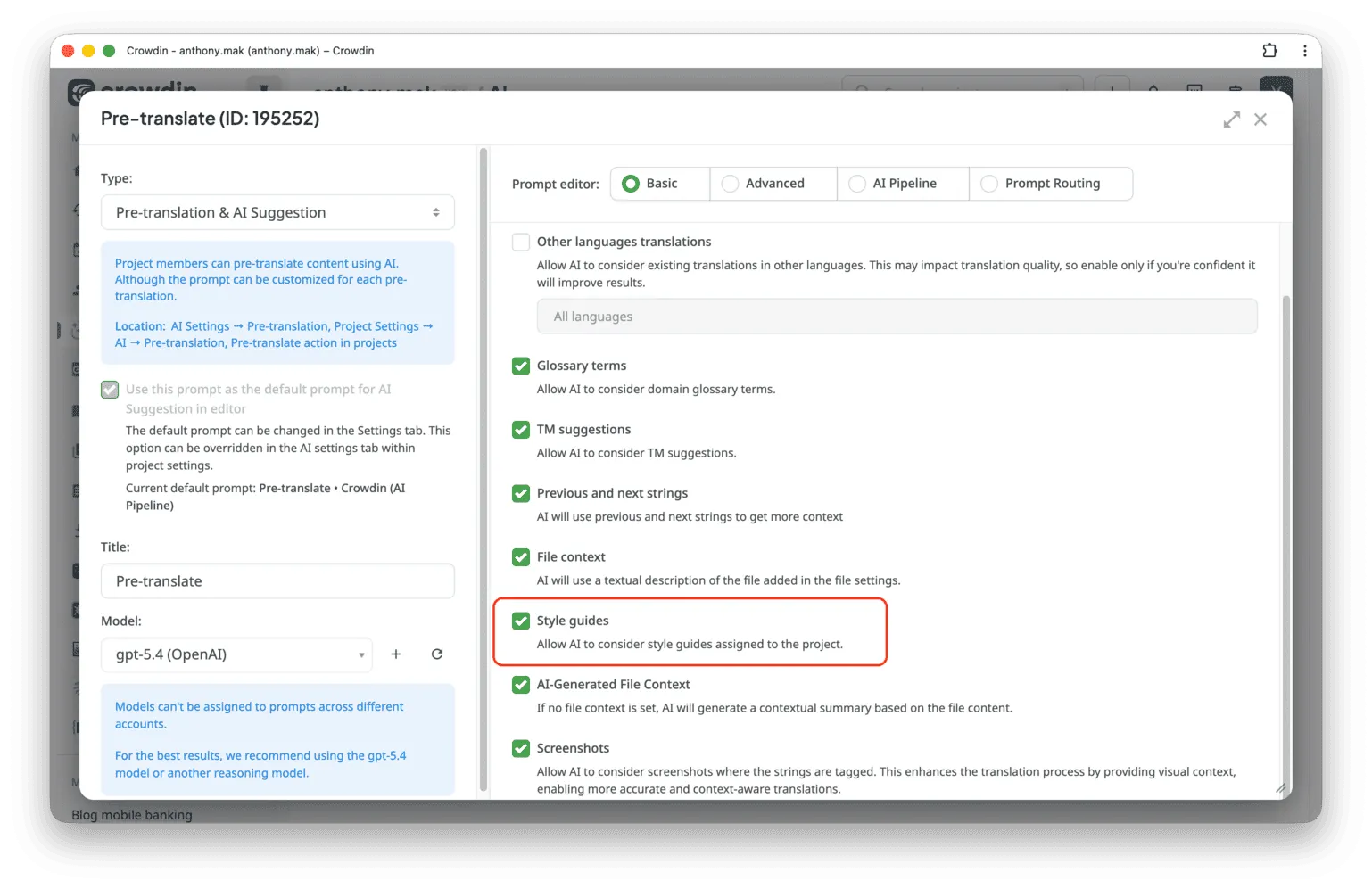
To ensure your AI models actually follow your brand rules, you need to enable the Style Guide within your specific AI prompts. You can apply these rules across your entire workflow: for pre-translation, QA checks, and the AI Chat in the Editor. Simply go to AI > Prompts and select the prompt you want to edit.
1. Basic prompt editor
If you prefer a simple setup, you don’t need to write any code. In the Basic prompt editor, simply find the Style guides checkbox and ensure it is selected.
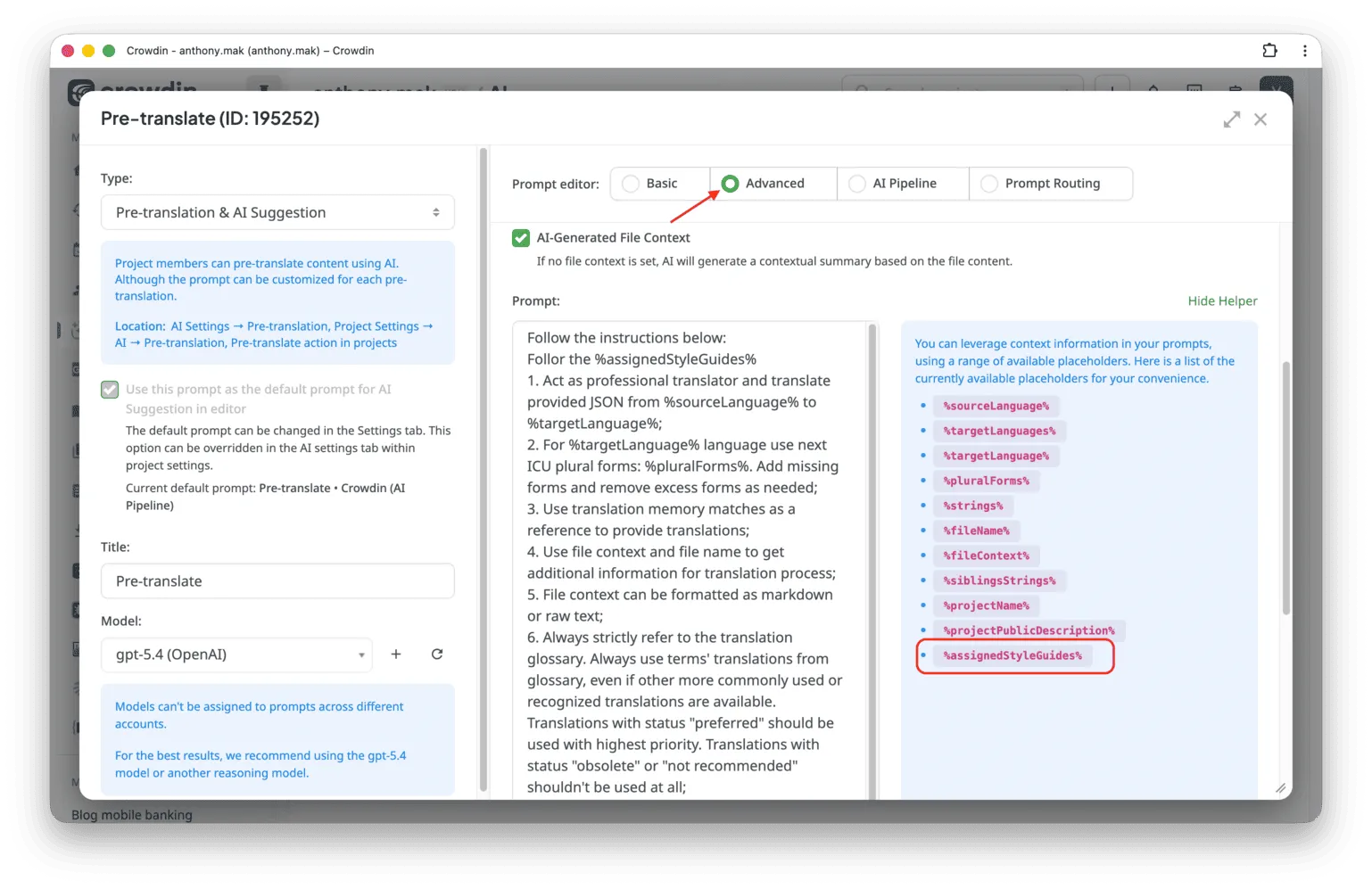
2. Advanced prompt editor
For more granular control over your instructions, use the Advance prompt editor. To tell AI where to pull your brand data from, copy and insert the placeholder %assignedStyleGuides% from the right panel into your prompt.
3. AI Pipeline
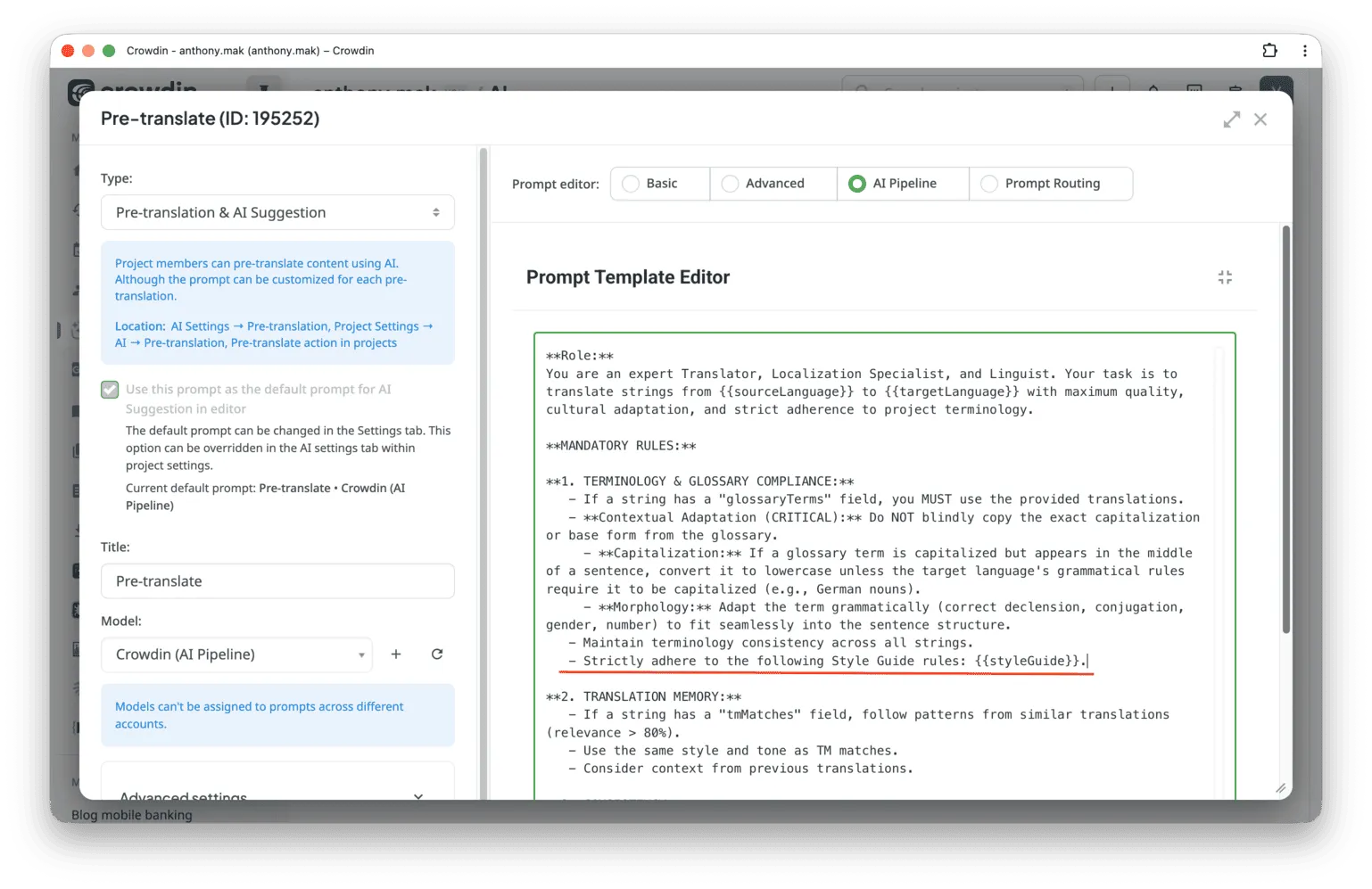
If you are building custom, multi-step automation within the AI Pipeline, you can inject your specific brand DNA by adding this variable to your configuration {{styleGuide}}.
Wrapping up
Unlike a static PDF, a Crowdin Style guide is a “living” part of your project settings. Whether you are using OpenAI, Google Gemini, or Anthropic via the Crowdin AI Pipeline or Copilot, the Style guide acts as a permanent system prompt. This ensures that the AI doesn’t just translate the words – it adopts your brand’s personality before it even starts the task.
Style Guides are available now in Crowdin and Crowdin Enterprise.
Localize your product with Crowdin
FAQ
1. Why is a style guide necessary for localization?
A style guide is the bridge between grammatical correctness and brand identity. Without it, translations often fall into the context gap – they are technically accurate but feel robotic, inconsistent, or culturally tone-deaf. For example, a style guide ensures that a playful app doesn’t suddenly sound like a legal manual in German, or that gender-neutral English phrasing is correctly adapted into gendered languages like Polish or Spanish. It turns generic content into on-brand content.
2. Which file formats can I upload as a style guide?
Crowdin supports the most common professional documentation formats, including:
- Microsoft Word:
.docx - Adobe PDF:
.pdf - Markdown:
.md - Excel:
.xlsx(great for structured do/don’t tables)
3. Can I use AI to help create my style guide?
Yes. If you don’t have a formal brand book, you can use the AI Generator within Crowdin. Simply describe your brand’s personality and target audience, and the AI will build a comprehensive guide (including a Tone Matrix and grammar rules) from scratch.
4. Is the AI-generated style guide permanent, or can I change it?
It is completely flexible. You can edit your style guide at any time as your brand evolves. You can also download the AI-generated guide to your device to share it with your internal teams or use it for non-localization projects.
5. How do Style Guides improve AI localization?
When using the Crowdin AI Pipeline or AI Pre-translation, the Style Guide acts as a “grounding” layer for the LLM. Instead of the AI guessing the tone, it follows your specific rules as part of its system prompt. This drastically reduces the need for manual post-editing and ensures your AI-generated translations are “on-brand” on the first pass.
6. Do human translators see the style guide?
Absolutely. The style guide isn’t just for AI; it appears directly in the Crowdin Editor for human linguists. It provides real-time “nudges” and QA checks, flagging style violations (like using formal language when your guide mandates informal) while they type.

Yuliia Makarenko
Yuliia Makarenko is a marketing specialist with over a decade of experience, and she’s all about creating content that readers will love. She’s a pro at using her skills in SEO, research, and data analysis to write useful content. When she’s not diving into content creation, you can find her reading a good thriller, practicing some yoga, or simply enjoying playtime with her little one.