

By Dr. Nadja Ruhl, LangOps Architect at Chainels
Earlier this year, I wrote about what I called the Nordic-language trap: a specific, well-documented failure mode that happens when you use AI for pre-translation into a lower-resource Nordic language. The short version: large language models are trained on vastly more Swedish data than Danish or Norwegian data. When they’re uncertain, they gravitate toward the better-resourced neighbor. The output looks plausible. The sentence structure holds. But the vocabulary is wrong. You asked for Danish or Norwegian and got Swedish instead.
If you missed that article, the full write-up is on LinkedIn. The Danish case I described there was the first time I ran into this problem at scale. It was not the last.
The same trap, different language
At Chainels, we recently added six new target languages to our platform. Norwegian Bokmål was one of them. I was using Gemini as my pre-translation engine inside Crowdin. No complex setup at that point. Straightforward workflow. 23,910 source words in English, target language Norwegian, let Gemini run.
What came back was, again, not entirely Norwegian.
Some strings were fine. Others had clearly been generated in Swedish. Words like för instead of for, rapportera instead of rapportere, slutet instead of slutten, varje instead of hvert, vecka instead of uke. Grammatically coherent. Wrong language.
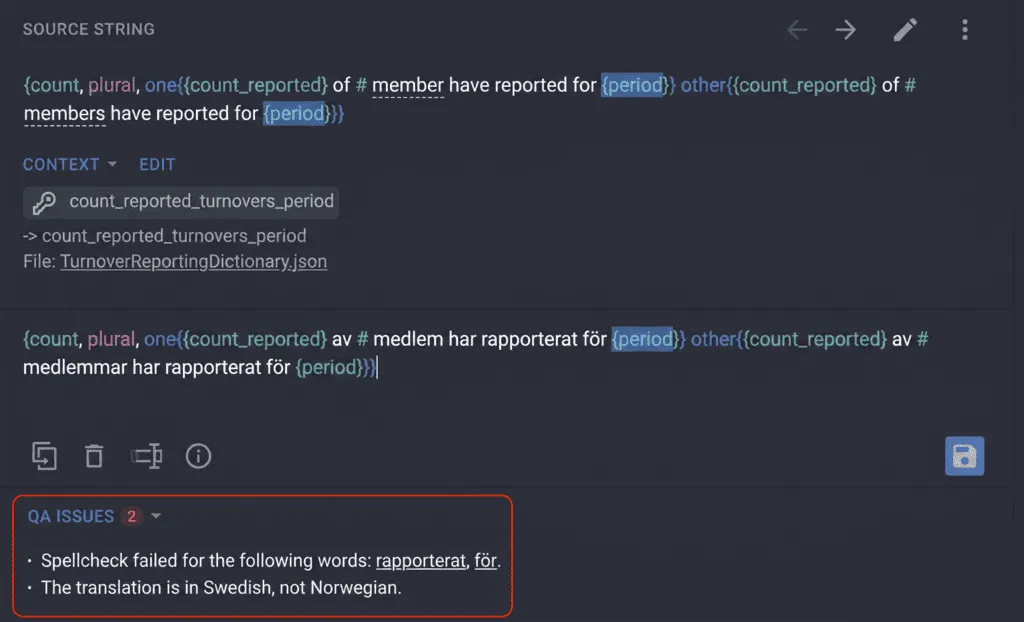
I had seen this before with Danish and Swedish. I should not have been surprised to see it with Norwegian and Swedish. But I was. The strings looked fine at first glance. If you are not a native or near-native speaker of both languages, you might not catch it immediately.
How Crowdin caught it
Crowdin’s built-in spellchecker flagged every affected string. Swedish words in a Norwegian-target project are, technically, spelling errors, and the spellchecker treated them exactly that way. Every instance surfaced. Nothing slipped through.
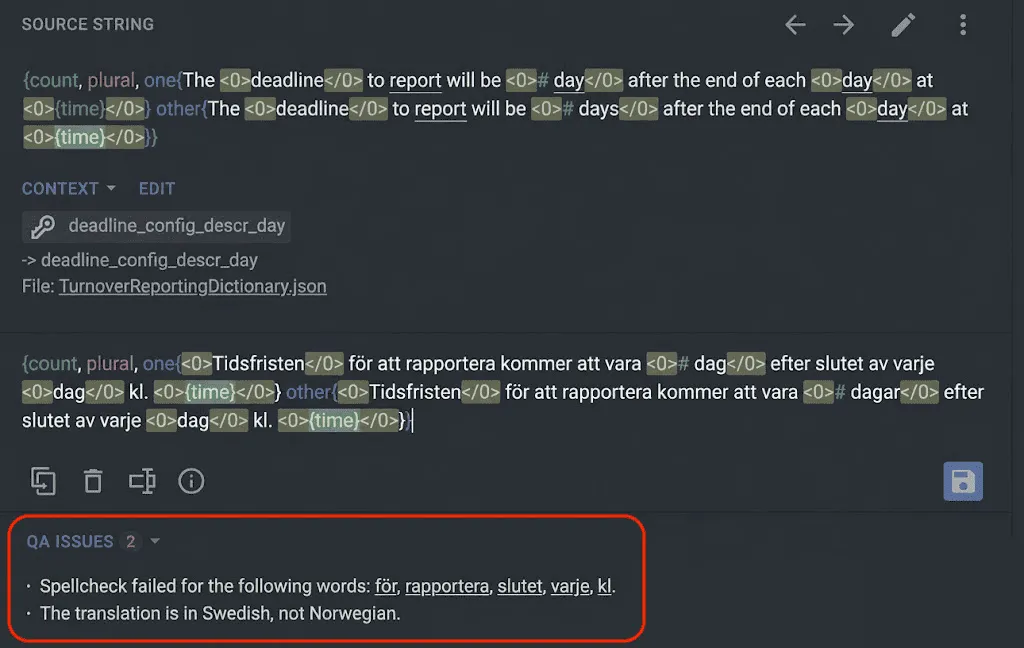
Before touching anything, I ran all flagged strings through Claude to assess each case individually. Not every spellcheck flag is a genuine error: compound words, proper nouns, and loanwords all get flagged as false positives, too. I needed certainty.
Result: zero false positives. Every single flag was a genuine Swedish-for-Norwegian substitution.
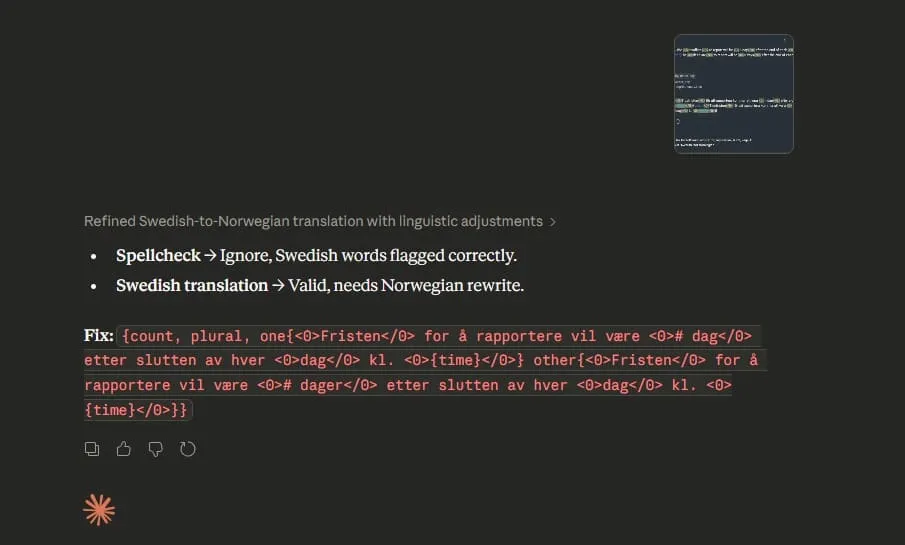
I took screenshots of all affected cases. For the Norwegian project, I ended up with a clear, documented set of contaminated strings, all from the same source file, TurnoverReportingDictionary.json. Seven strings total.
What this made me think about
The spellchecker caught it. Claude confirmed it. But catching errors after the fact is not the same as preventing them.
Every time this happens in a production workflow, someone has to review the flags, assess each case, fix the translations, and re-run QA. For seven strings, that’s manageable. For a project with thousands of strings across multiple related language pairs, the cost compounds fast.
The obvious question: can we prevent the contamination at the point of generation, rather than clean it up afterward?
Crowdin’s AI Pipeline is built for exactly this kind of problem. It allows you to add specialized instructions to the translation step: not just a general “translate well” prompt, but specific, targeted rules. For example, do not use these Swedish words, use the Norwegian equivalents instead.
I decided to run a focused experiment to test whether that actually works.
The experiment design
To keep the results clean and comparable, I built the experiment around the same seven strings that had been contaminated in the original project. Same source content. Same model (Gemini). The only variable: whether the AI Pipeline with custom Norwegian-specific instructions was in the loop.
The experiment project used:
- Source language: English
- Target language: Norwegian Bokmål
- Model: Gemini (same as the original run)
- AI Pipeline: enabled, with a custom prompt containing explicit Norwegian Bokmål rules and a false-friends list derived from the actual contamination cases
Step-by-step: setting up the AI Pipeline in Crowdin Enterprise
Here is exactly how I configured the experiment project. You can follow the same steps for your own Norwegian (or any related-language-pair) project.
Step 1: Create a new project
In Crowdin, create a new project with English as the source language and Norwegian Bokmål as the target. Give it a clear name so you can find it later.
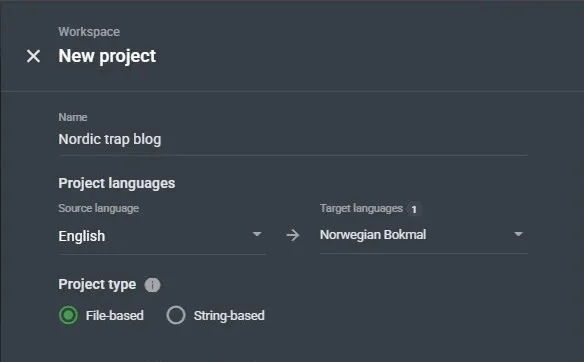
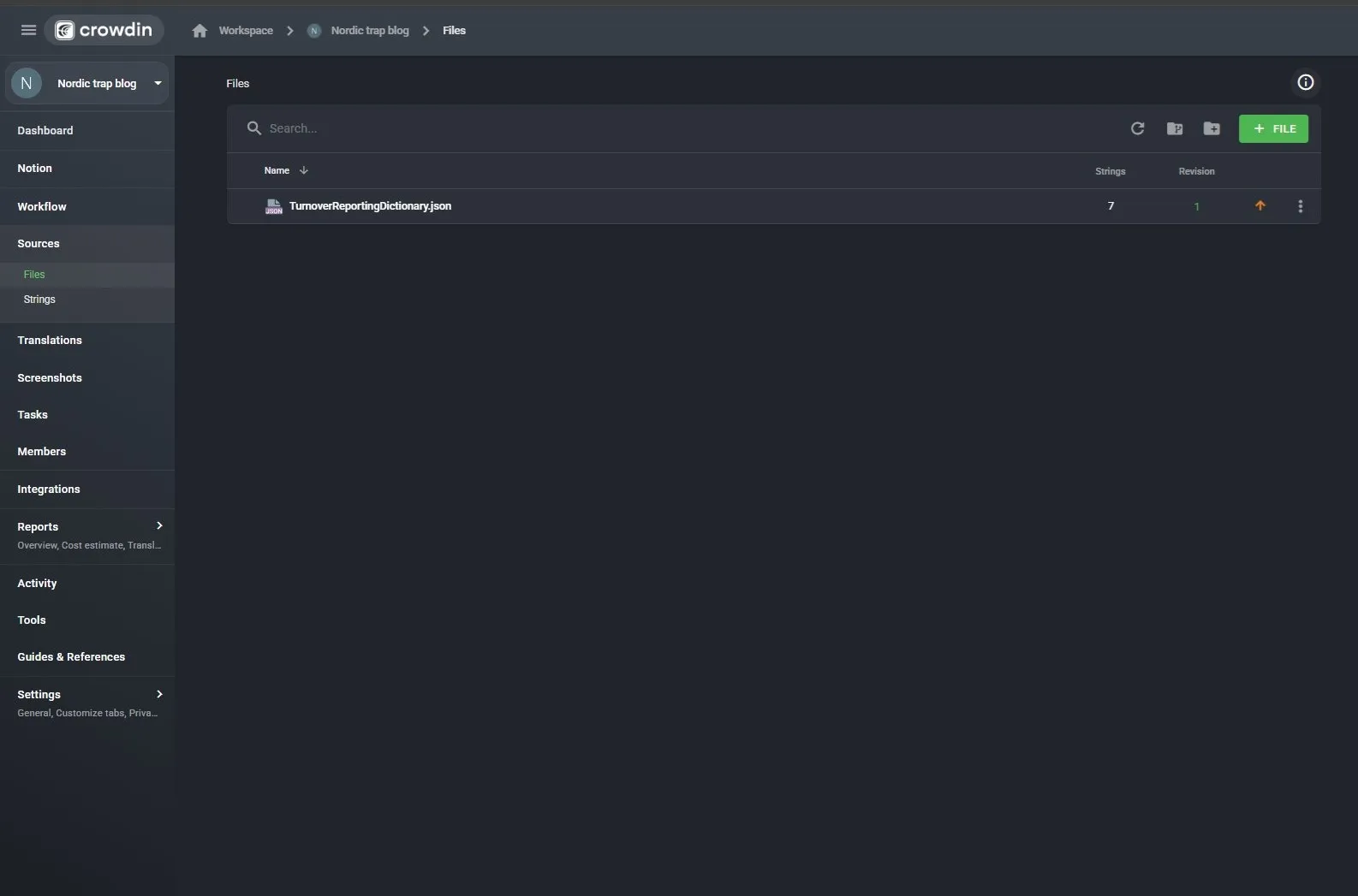
Step 2: Upload your source file
Upload the JSON file containing your source strings. In this experiment, I used a minimal file with just the 7 target strings. Crowdin confirmed all 7 were imported correctly.
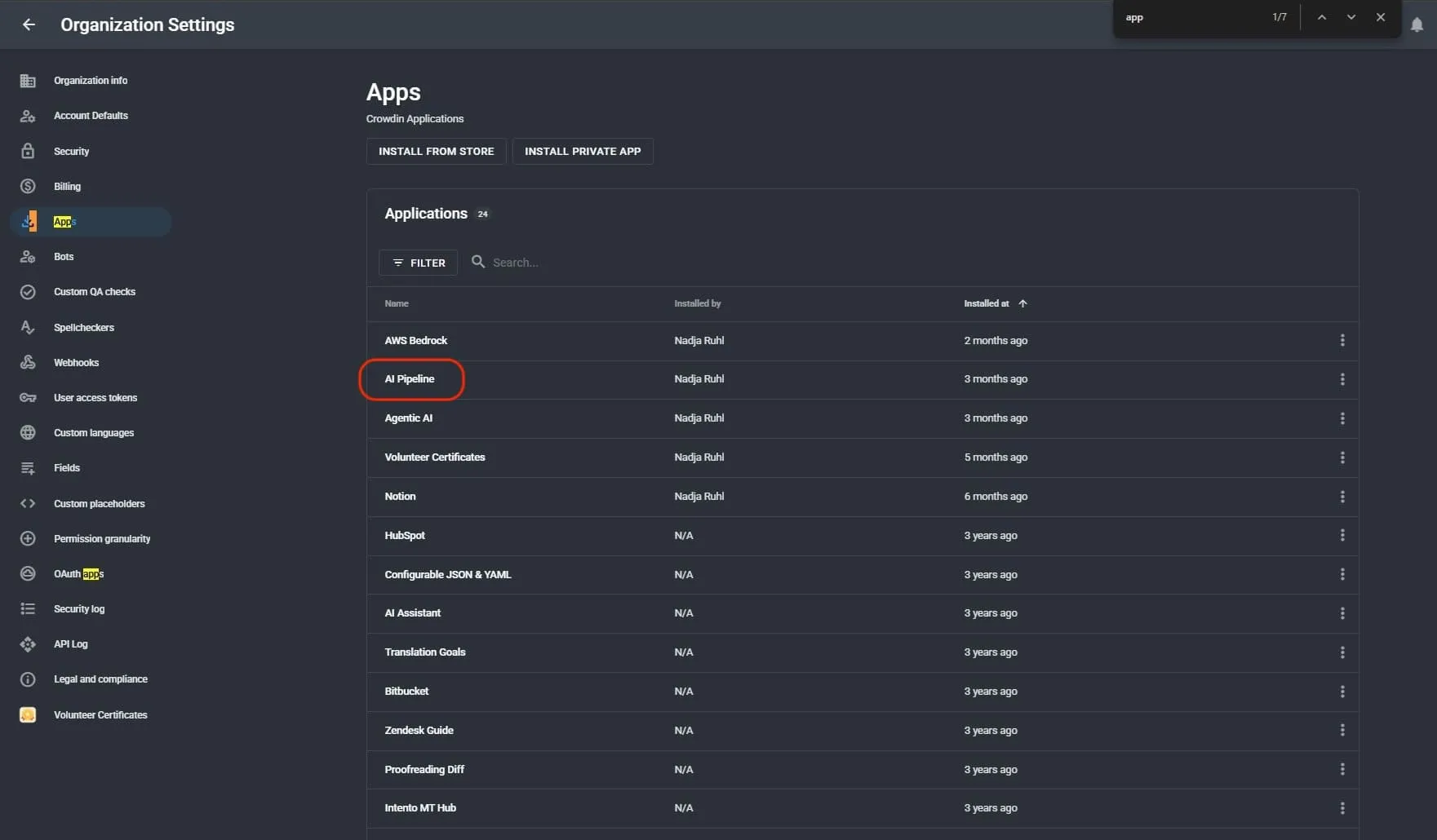
Step 3: Confirm AI Pipeline is installed
In Organization Settings → Apps, verify that the AI Pipeline app is installed. If it is not, install it from the Crowdin Store.
Step 4: Navigate to Project Settings → AI
Inside your project, go to Settings (bottom of the left sidebar) and click AI. This is where you create and assign prompts.
Step 5: Create a new prompt
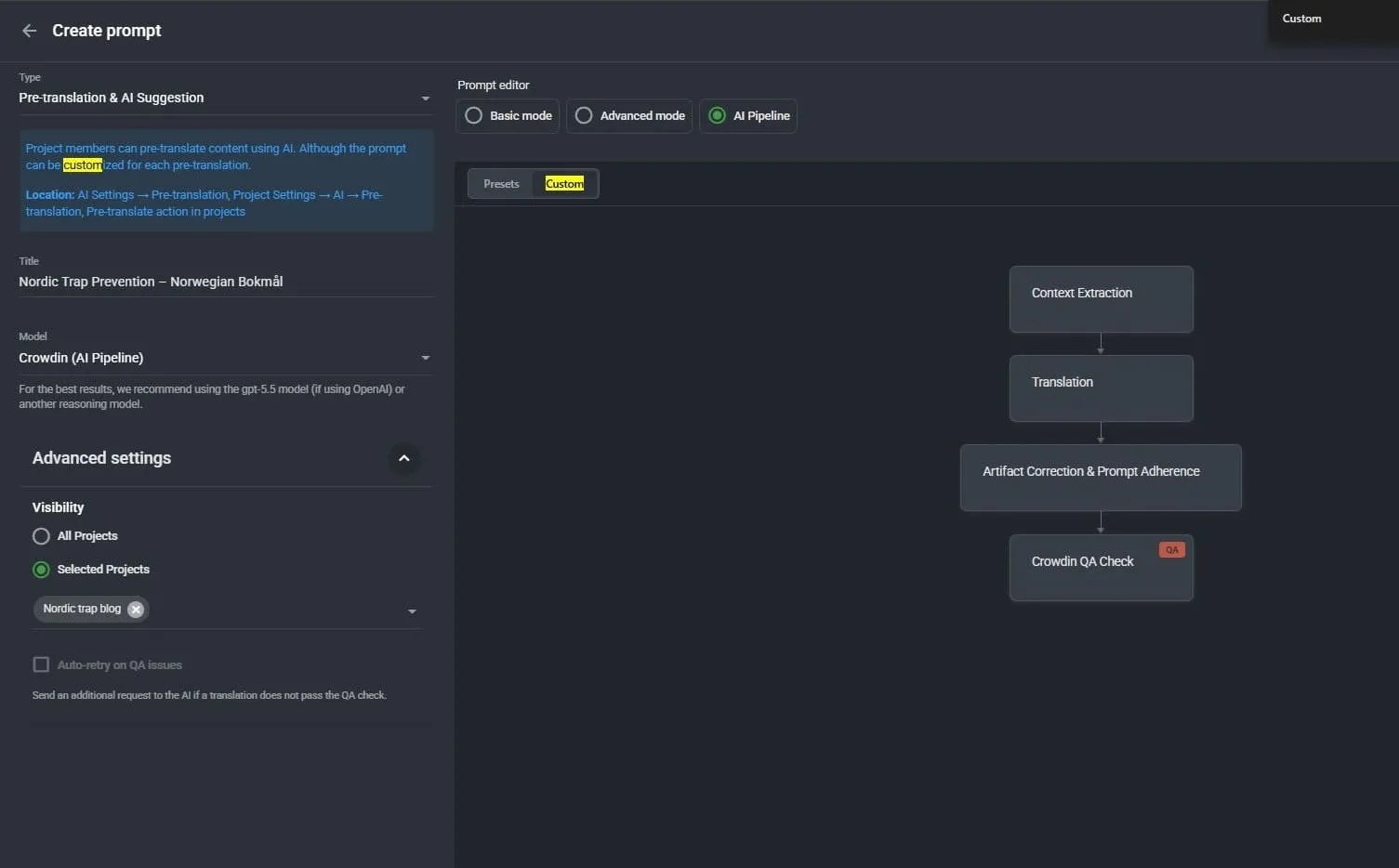
Click + New Prompt. In the prompt editor:
- Set the type to Pre-translation & AI Suggestion
- Give it a descriptive title (I used Nordic Trap Prevention – Norwegian Bokmål)
- In the Prompt editor section, select AI Pipeline mode
- Select Custom (rather than Presets)
- The custom mode shows four pipeline steps: Context Extraction → Translation → Artifact Correction & Prompt Adherence → Crowdin QA Check
Step 6: Add the custom instructions to the Translation step
Click on the Translation step in the pipeline. Scroll down to the Prompt Template field and click Expand editor to see the full template.
The default template already covers terminology compliance, translation memory, consistency, quality rules, and technical requirements. Do not replace it: add to it. At the end of the FORBIDDEN section (section 6), insert a new section 7 with the language-specific rules.
Step 7: Set it as the default pre-translation prompt
Back in Project Settings → AI, select your new prompt in the Pre-Translation dropdown at the top of the page. Save.
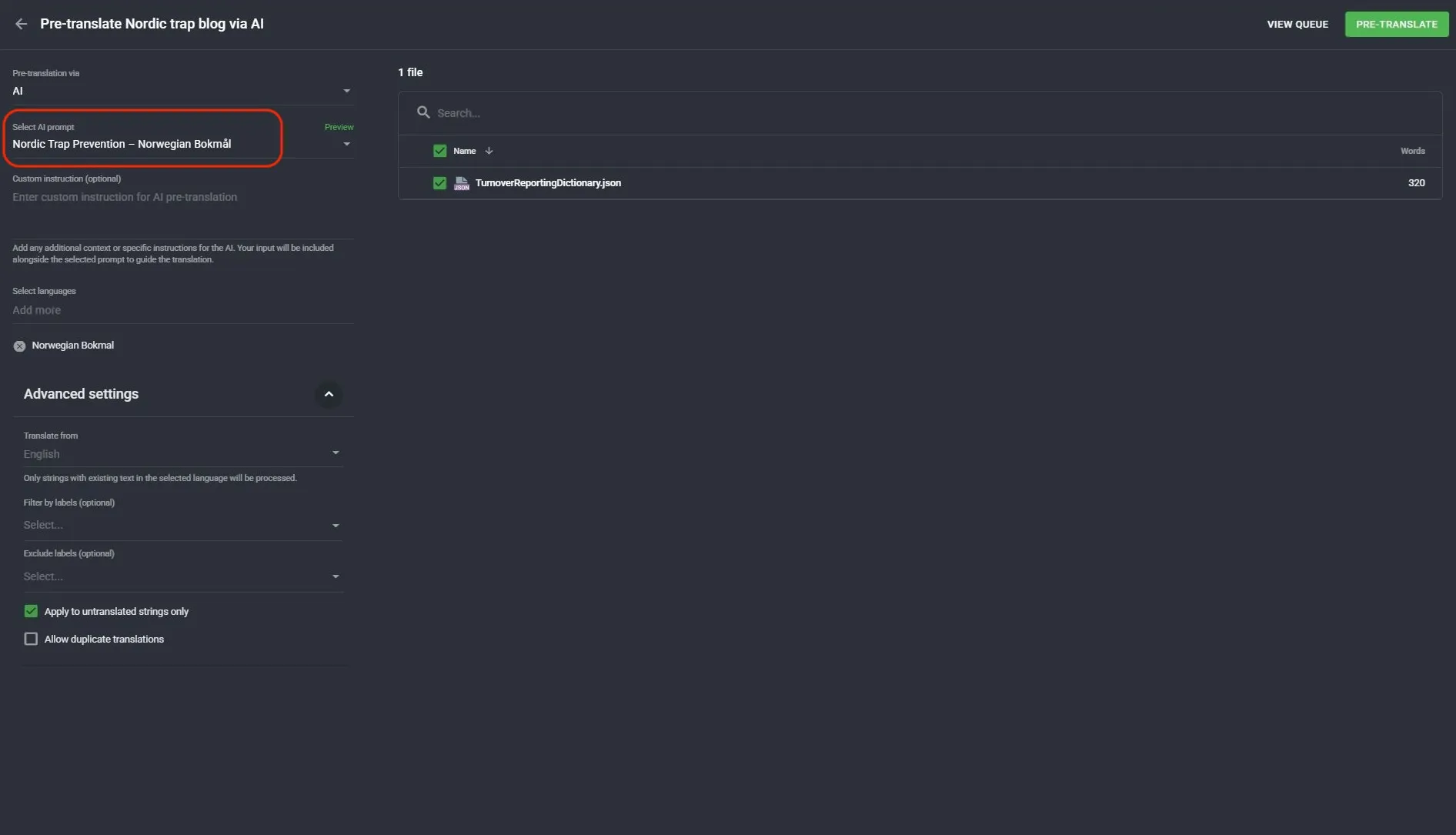
Step 8: Run pre-translation
Go to Sources → Files, open the pre-translate option, confirm the correct prompt is selected, confirm Norwegian Bokmål is the target language, and run.
The full custom prompt section
Below is the exact section I added to the default Crowdin AI Pipeline Translation step prompt. You can add this to your own pipeline for any project where Norwegian Bokmål is a target language:
**7. LANGUAGE-SPECIFIC RULES – NORWEGIAN BOKMÅL:** - The target language is Norwegian Bokmål (nb). This is NOT Swedish and NOT Nynorsk. - The following Swedish words must NEVER appear in the output. Use the Norwegian Bokmål equivalents instead: - för → for / för att → for å - rapportera → rapportere / rapporterat → rapportert - slutet → slutten / varje → hvert / var (each) → hver - vara / kommer att vara → være / vil være - dagar → dager / månad → måned / vecka → uke / sjätte → sjette - When uncertain between a Swedish-looking and a Norwegian-looking form, always choose the Norwegian Bokmål form.This list was built directly from the contamination cases documented in the original project. Every pair on it is a real error that appeared in the real output. It is not exhaustive: there are other Norwegian-Swedish false friends, but it covers the most common substitutions in typical software UI strings.
For other related-language pairs (Norwegian-Danish, Slovak-Czech, Catalan-Spanish), the same approach applies: document the false friends that actually appear in your QA flags, and add them explicitly to the Translation step prompt.
The results
The pre-translation job was completed in under two minutes. 7 translations added. Zero Swedish contamination.
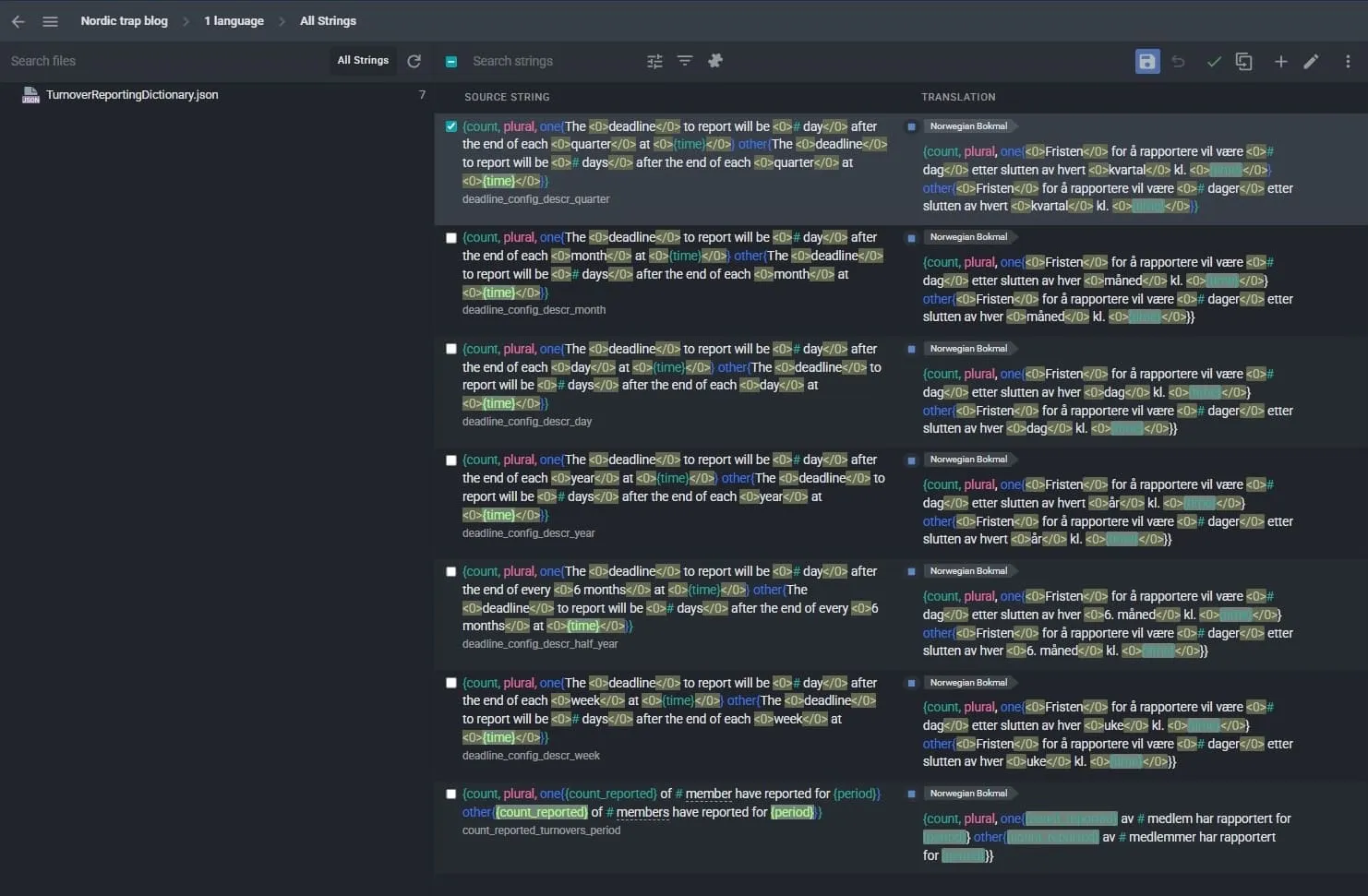
Every string came back in clean Norwegian Bokmål:
- för att rapportera → for å rapportere ✓
- kommer att vara → vil være ✓
- efter slutet av → etter slutten av ✓
- varje → hvert ✓
- månad → måned ✓
- vecka → uke ✓
- rapporterat → rapportert ✓
What this means in practice
The before and after in this experiment are clean:
Without AI Pipeline: Gemini, translating to Norwegian without specific instructions, substituted Swedish vocabulary across all 7 strings. Crowdin’s spellchecker flagged every case. Every flag required manual review and correction.
With AI Pipeline + custom prompt: Same model, same strings, same language pair. Zero Swedish contamination. The pipeline’s Prompt Adherence step enforced the language rules at generation time, not after.
Detection and prevention are different things. Crowdin’s spellchecker is excellent at detection: it catches what slips through, and in my experience, it catches everything. But if you are working at scale, or working with multiple related-language pairs, prevention is more efficient. You do not want to run QA on thousands of strings to find a pattern you already know about.
The AI Pipeline with targeted instructions is how you move from knowing about a failure mode to actually blocking it.
Takeaway
The Nordic-language trap is not unique to Norwegian and Swedish, and it is not unique to Gemini. Any language that sits in the shadow of a better-resourced linguistic neighbor is at risk. The failure mode is consistent and documentable. That means it is also preventable.
If you work with Norwegian, Danish, or any other lower-resource Nordic language in your localization workflows, here is what I recommend:
- Run your first AI pre-translation pass and let Crowdin’s spellchecker flag what comes back
- Assess the flags: confirm which are genuine contaminations versus false positives
- Build your false-friends list from the actual errors you document
- Add that list explicitly to the Translation step of your AI Pipeline prompt
- Re-run and compare
The prompt section above is a starting point. Your own project will likely surface additional pairs. Document them, add them, and your pipeline gets more accurate over time.
Being informed means being prepared.
Move from manual detection to automated prevention

Dr. Nadja Ruhl
Dr. Nadja Ruhl holds a PhD in Language Science from the University of Udine and Trieste (Italy) and has nearly two decades of experience in the language industry. She currently works as LangOps Architect at Chainels, where she manages localization and research efforts across Web, iOS, and Android. She is also Program Director at Women in Localization and an active contributor to their weShapeAI program. She writes about AI-assisted translation workflows and practical localization methodology.
You can find her on the Crowdin Experts directory.