

Let’s be real about a situation that happens all the time when scaling large websites: you’re managing a global website. Your boss wants the site live in 15 markets by Q2. You’ve got translators working in Crowdin, content flowing through DatoCMS, and you’re supposed to sign off on everything being “good to go”.
There’s just one tiny problem: you don’t speak German, Japanese, Portuguese, or the other 12 languages you’re supposedly managing.
You can’t review the translations yourself. You can’t afford to hire 20 native speakers for full-time QA. You can’t just trust that everything is fine and hope for the best when the CEO asks if the Spanish site is ready.
You need a system that works, and you can set one up using DatoCMS and Crowdin together.
Coverage First: Know What’s Actually Translated
Before worrying about quality, you need to answer a simpler question: Is the content actually translated at all?
This sounds basic, but it’s where many global content operations fall apart. Content exists in English. Translators are working on something. But what exactly? And how much is done?
DatoCMS handles localization at the field level. When you create a model (like a homepage or product page), you decide which fields are localizable. The title field? Localizable. The slug field? Definitely yes. The product_sku field? Probably not. This means you’re not paying to translate technical IDs, but you are translating everything that matters to users.
Which is where the DatoCMS + Crowdin connector becomes essential. Instead of manually exporting content, sending it to translators, and manually importing it back, the connector syncs bidirectionally. This is the foundation of a scalable multilingual CMS strategy:
- New or updated content in DatoCMS automatically flows to Crowdin (if you set up auto-sync).
- Completed translations (via TM pre-translation, MT, AI + human) in Crowdin automatically sync back to DatoCMS.
- You can see the translation status in both tools without opening 40 browser tabs.
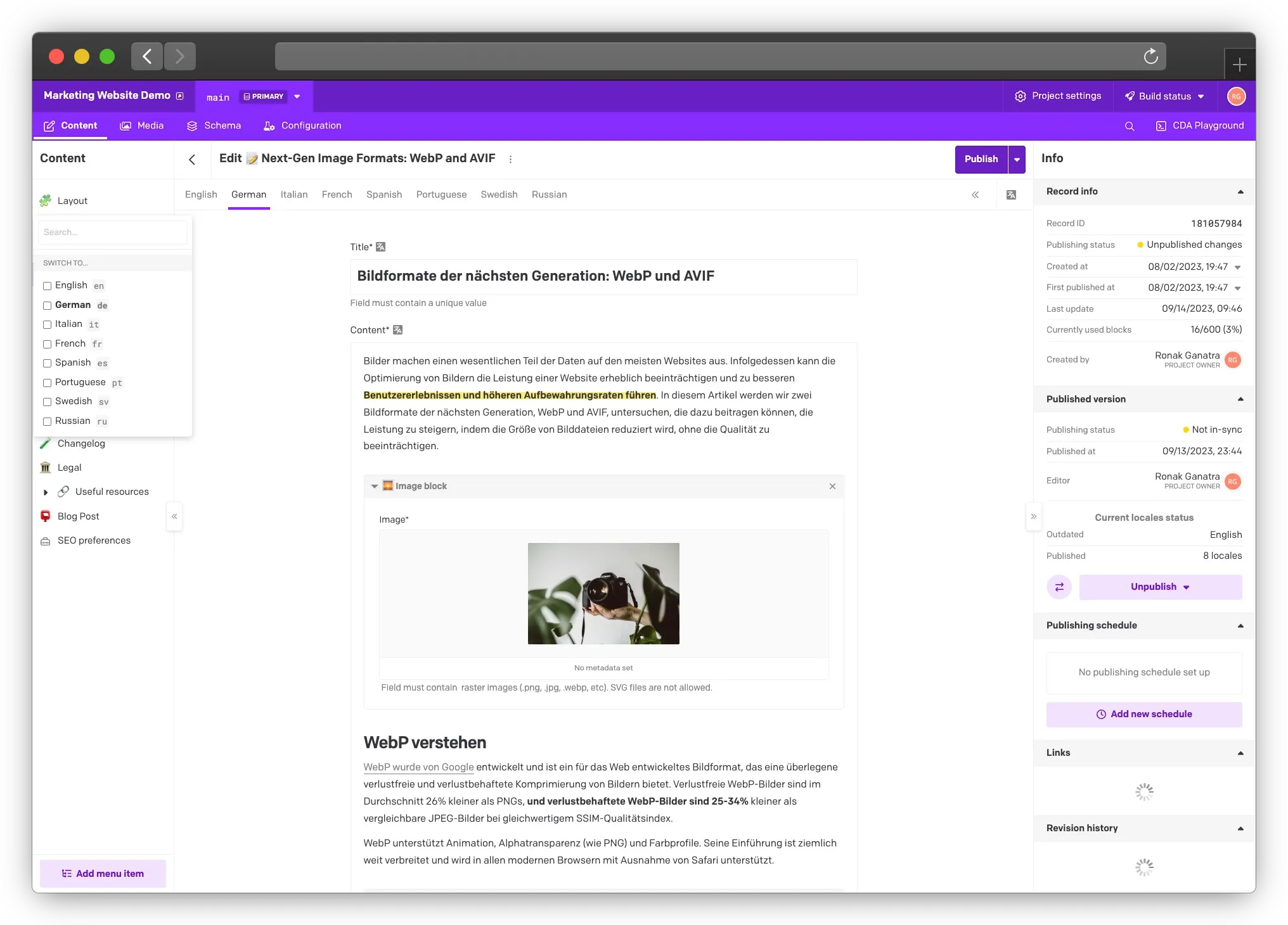
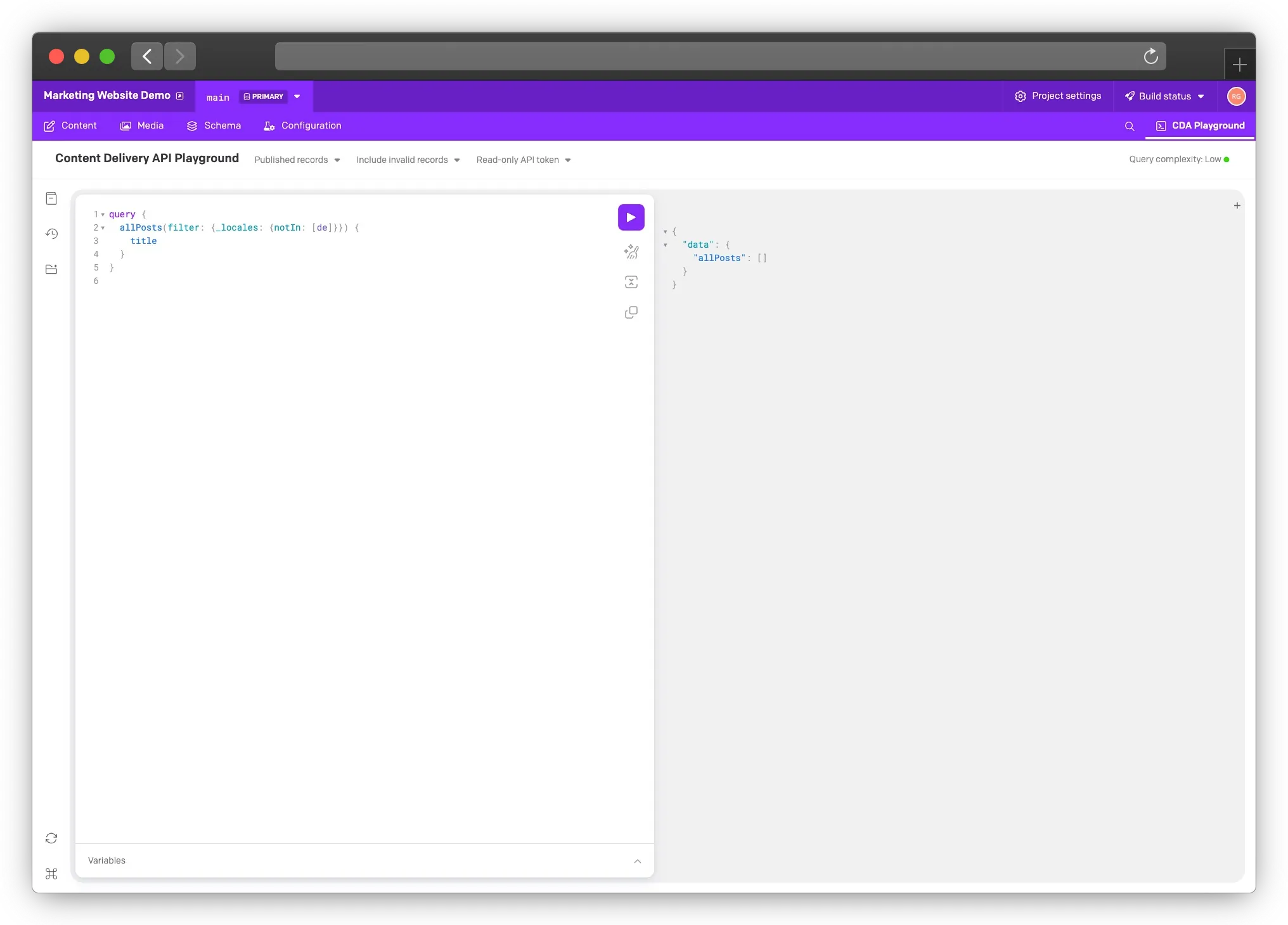
In DatoCMS, you can filter your content by locale completion. Need to know which pages are missing German translations?
Run a simple query:
query { allBlogPosts(filter: {_locales: {allIn: [es]}}) { title }}Filter by locale, and you’ve got your answer in 10 seconds.
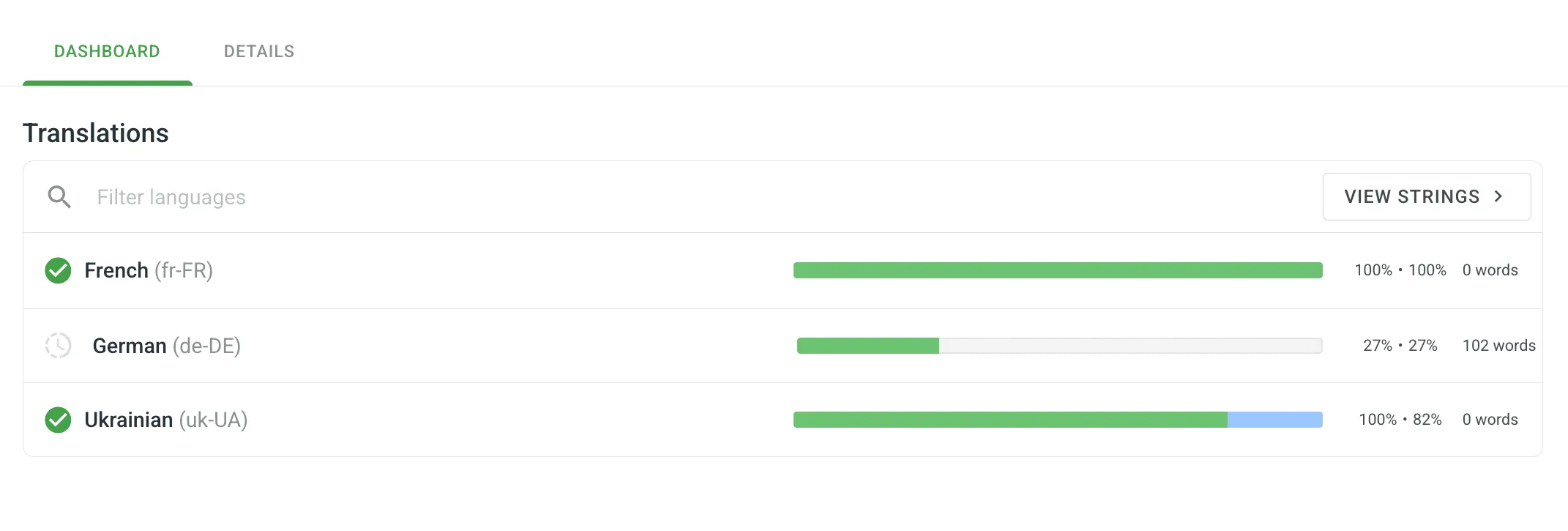
In Crowdin’s project dashboard, you can see translation progress across all languages. The German homepage is 85% translated. The French product descriptions are 100% complete but pending review. You know exactly where things stand.
The win here is simple: one dashboard view tells you “German homepage is 85% translated, French is done, Spanish needs 3 more fields.”
You don’t have to guess or handle multiple spreadsheets or query databases.
Automated Quality Checks You Can Trust
Coverage was step one. But just because something is translated doesn’t mean it’s translated well.
The good news is that you don’t need to speak the language to catch most translation problems. Crowdin has built-in Quality Assurance checks that run automatically, and they catch most issues before they ever reach your site.
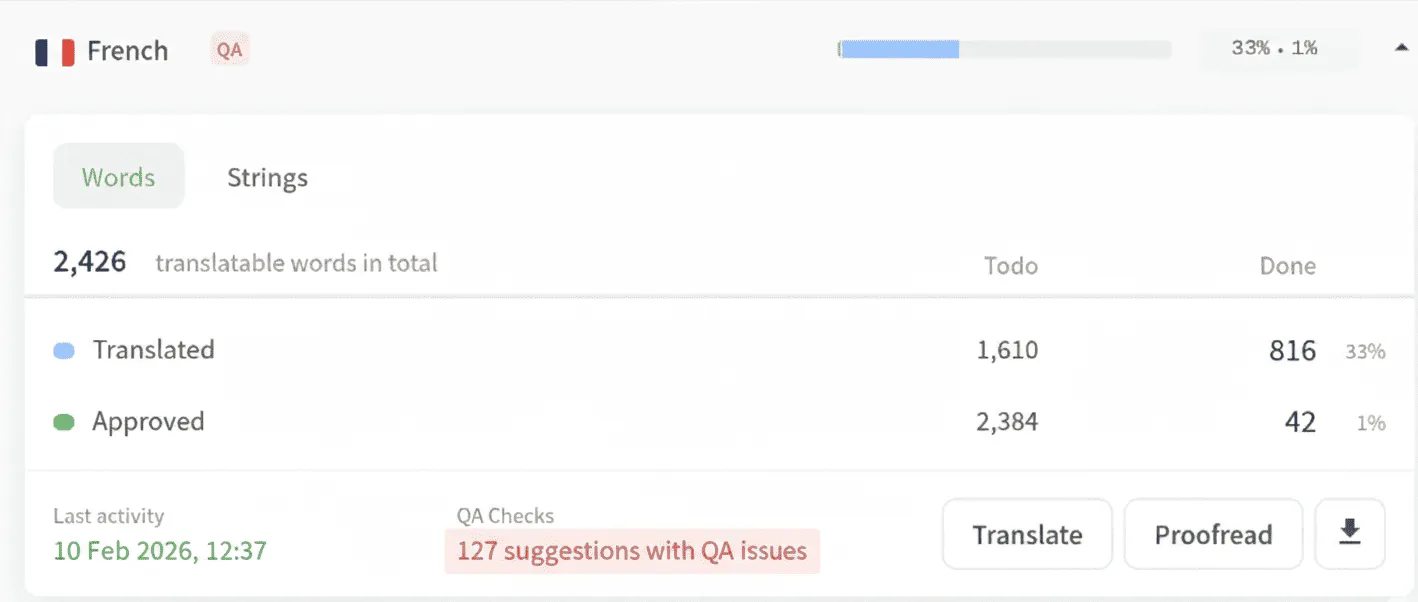
Here’s what gets caught automatically:
1. Length restrictions
If your CTA button in English says “Get Started” (11 characters) and the German translation is “Jetzt mit unserem kostenlosen Testzeitraum beginnen” (52 characters), Crowdin flags it for potential inconsistencies. Your button design won’t overflow.
2. Placeholder preservation
If your email template has something like {username} in English, the Spanish version better have {username} too, not {nombre_usuario}. Crowdin verifies that dynamic placeholders stay exactly as they are.
3. Terminology consistency
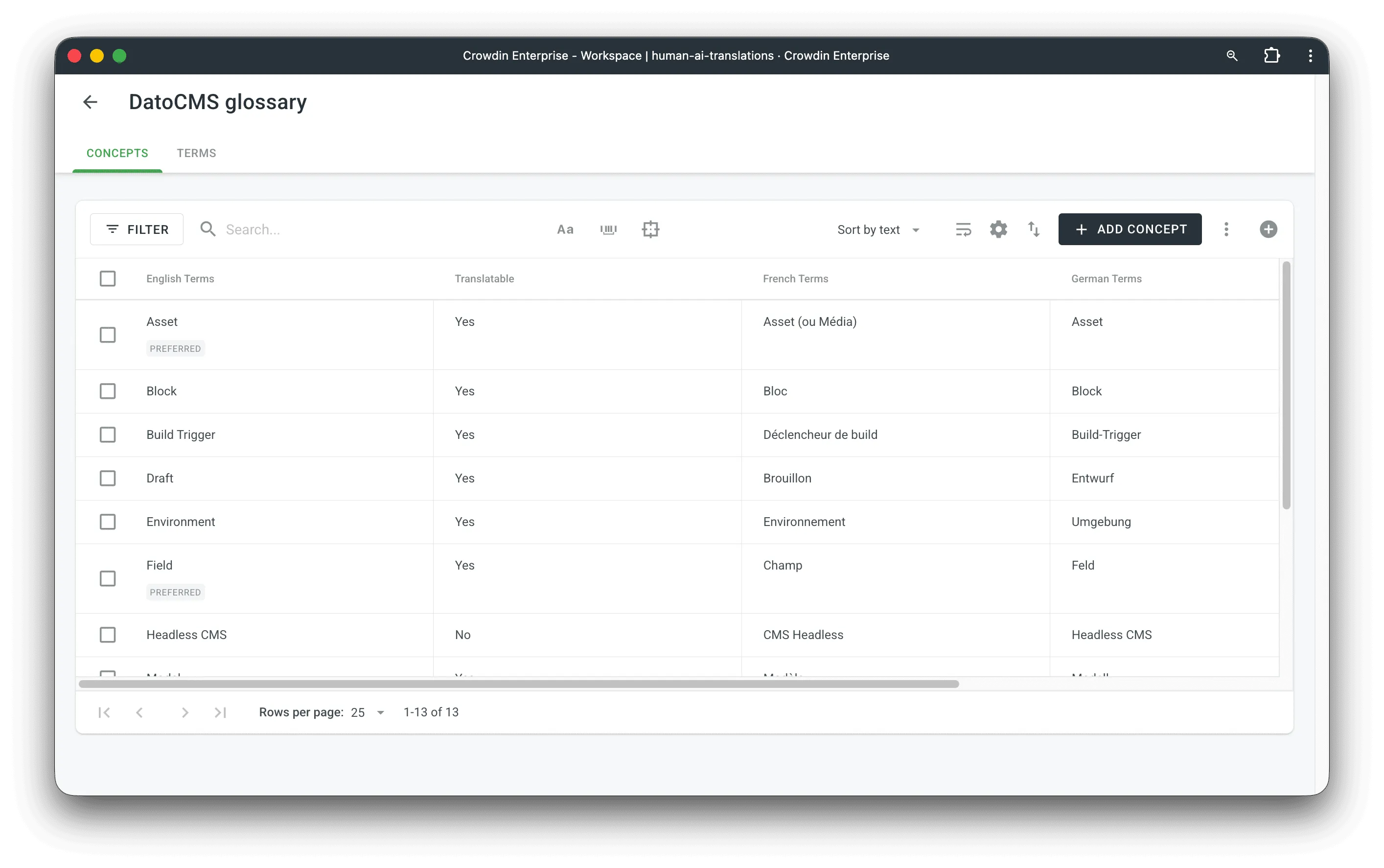
Set up a glossary in Crowdin with terms like “Dashboard” or “Workspace”, and Crowdin enforces that translators use your approved translations. “Dashboard” doesn’t randomly become “Panel de Control” in one place and “Tablero” in another.
4. Capitalization/Casing patterns
If your English content has “Free Trial” capitalized, Crowdin can enforce similar capitalization rules in other languages based on their conventions.
Context-Aware Translation using DatoCMS Field Metadata
Now here’s where the DatoCMS integration makes this even better, since Crowdin receives field names and item context directly from DatoCMS.
What does this mean in practice? Instead of a translator seeing just “Save”, they now see the full context:
- Field:
Primary CTA Button - Model:
Homepage Hero Section - Content: “Save”
This context is huge. “Save” as a button might be Speichern in German, while “Save” as a noun (like “Save 20%”) might be Sparen. Translators make better decisions when they know exactly what they’re translating.
How to Enhance Translation Accuracy with Rich Context?
Working with DatoCMS’s Structured Text field
For Structured Text fields (DatoCMS’s rich content format that supports nested blocks and modular content), the connector preserves the entire structure. If you have a blog post with embedded image blocks, quote blocks, and inline links, all of that structure stays intact through translation. Translators see the content in context, not as flattened strings.
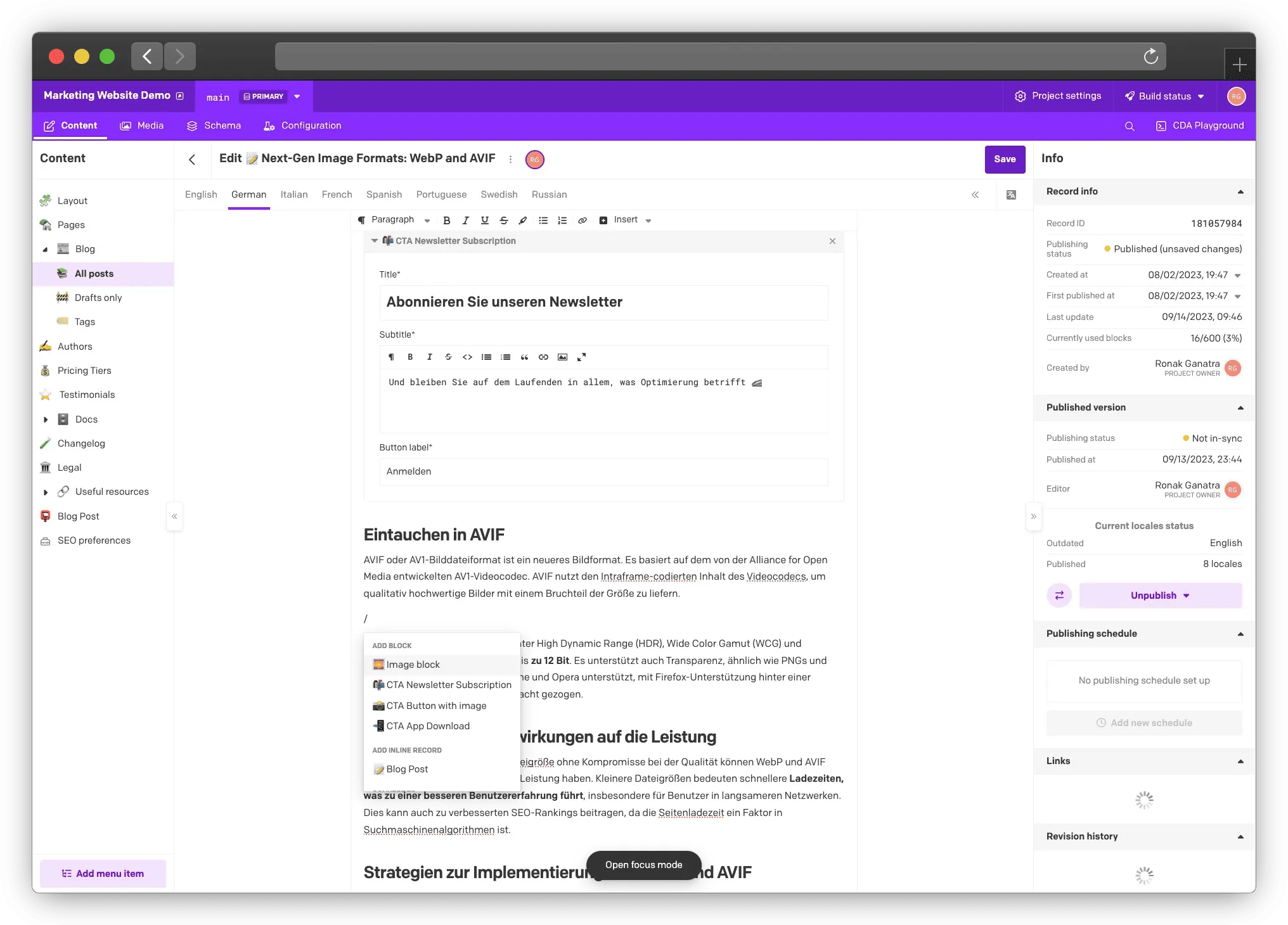
Set up your glossaries in Crowdin to align with your DatoCMS content models. If you have a “Product” model with specific field types, create glossary entries that match those fields. This creates consistency across your entire content system to save you confusion down the line.
The big win here is that 70% of translation problems get caught automatically, so you don’t need to have an army of native speakers QAing all the inclusions and changes. Button texts won’t overflow. Placeholders won’t break. Terminology stays consistent. And translators have the context they need to make the right decisions.
Quality Signals from Your Site Analytics
Hypothetically, if your site has gone live with less-than-ideal translations, analytics are the best way to uncover issues. Automated checks catch technical problems. But how do you know if the translation actually makes sense to real users?
Your site tells you. You just need to know what to look for.
Bounce rate divergence is your first major signal. If your English homepage bounces at 30% and your German homepage bounces at 80%, something is very wrong. Users are landing and immediately leaving. Common causes of this could be:
- Content reads like it was machine-translated (because it was, and no one reviewed it).
- A critical CTA was mistranslated.
- The content doesn’t match user expectations from the ad or search result.
Set up locale-specific views in Google Analytics (or whatever analytics tool you use). Compare bounce rates across languages for the same pages. Dramatic differences require investigation.
Conversion rate parity is your second signal. If users in France convert at 5% and users in Germany convert at 1%, and the product pricing is similar, you likely have a translation or cultural localization problem.
Now, conversion rates will naturally vary by region due to market maturity, competition, and cultural factors. But if you see a 5x difference on similar pages, that’s a red flag.
Time-on-page patterns can reveal comprehension issues. If English users spend 2 minutes reading your documentation page and Spanish users spend 15 seconds, either:
- The translation is confusing.
- The translation is so bad that they immediately recognize it’s unusable.
- You have a technical issue (wrong locale being served).
Here’s a real example of using analytics post-deployment to understand the cost of translations. A joint customer noticed their French bounce rate spiked from 35% to 78% after a content update. They dug into the heatmaps of pages to see what changed and found that a new CTA was translated as “Supprimer le compte” (Delete Account) instead of “Commencer” (Get Started).
The translation was technically correct. It just wasn’t the right phrase for that context. Their analytics caught it within 24 hours, they fixed it in DatoCMS, the Crowdin connector synced the fix, and the changes went live.
The learning here is to let your site become an extension of your QA system. Users vote with their behavior. If something is wrong, you’ll see it in the data without speaking the language.
Using In-Market Reviewers
Let’s be honest, beyond a certain scale, you still need native speakers, and should ensure you have the right coverage for the languages most critical to your business. Automated checks and analytics catch problems, but they don’t catch everything, and some are more reactive rather than proactive. A sentence can be grammatically perfect and still sound awkward, overly formal, or culturally tone-deaf.
But here’s the key: use native speakers strategically, not for every single word.
1. Give reviewers access to DatoCMS, not spreadsheets
This is crucial. When a German reviewer looks at translations in a spreadsheet, they see isolated rows without context. When they review in DatoCMS, they see the actual homepage hero section with all the context: the headline, the subtext, the CTA button, how it all flows together. They catch problems like “this CTA doesn’t match the tone of the headline” or “this word choice doesn’t make sense next to that image.”
DatoCMS has granular roles and permissions you can set up for users on the field level to ensure that you’re not risking giving external translators access to view and/or change content that’s not relevant to their scope.
2. Set up proofreading workflows in Crowdin for high-value content
Not every blog post needs human review. But your homepage, pricing page, and core product pages? Those should go through a proofreader after translation.
Crowdin’s workflow system also lets you route specific files to specific reviewers. Your French proofreader only sees French content. Your German proofreader only sees German. They’re not accessing content in languages they don’t speak.

3. Use the DatoCMS plugin to trigger review rounds when you’re ready.
The plugin lives inside DatoCMS’s editor interface, so content managers can initiate translation workflows without switching tools or asking developers for help.
Reviewers see content in its actual structure, not in isolation. They catch context issues. And you’re using expensive human review only where it matters most, not on every single string.
Build a Scalable Translation Quality Workflow with DatoCMS and Crowdin
We’ve covered the implementation and importance of coverage tracking, automated QA, analytics monitoring, and human review. Now let’s put it all together into a single workflow that actually runs for you without constant manual oversight or intervention.
Here’s what this looks like in practice:
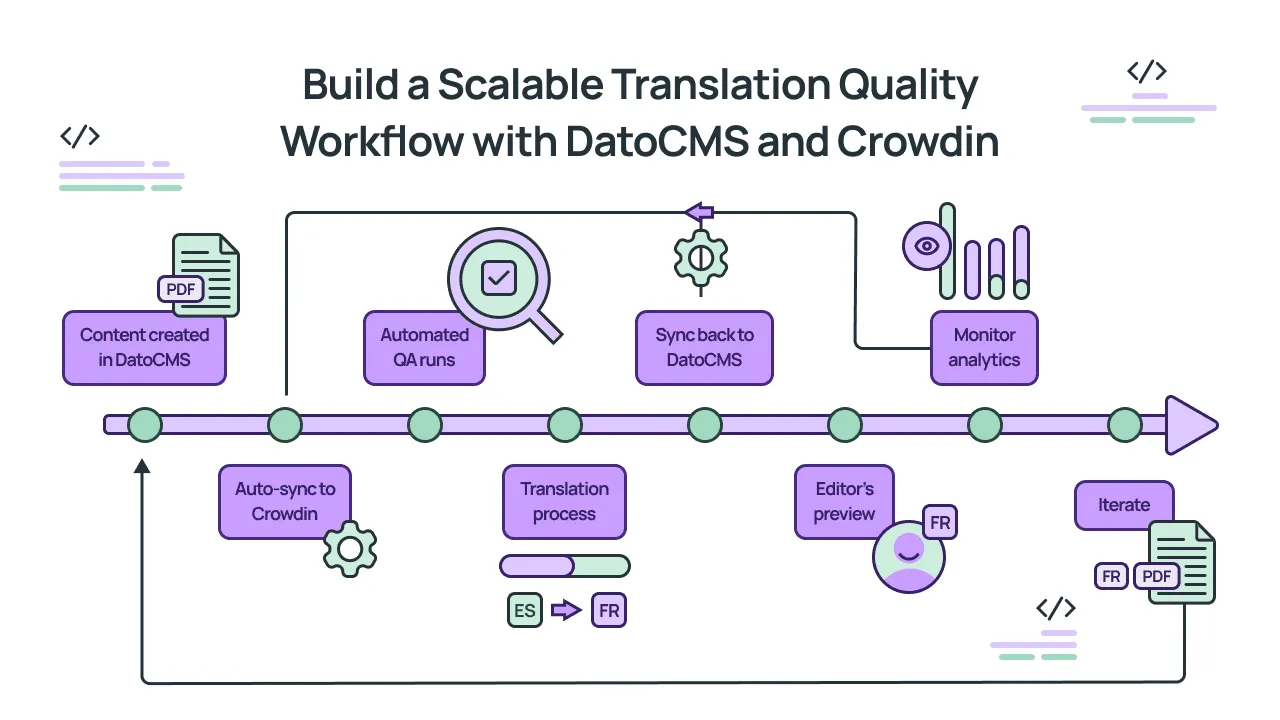
- Content created in DatoCMS: Your content team creates or updates a page.
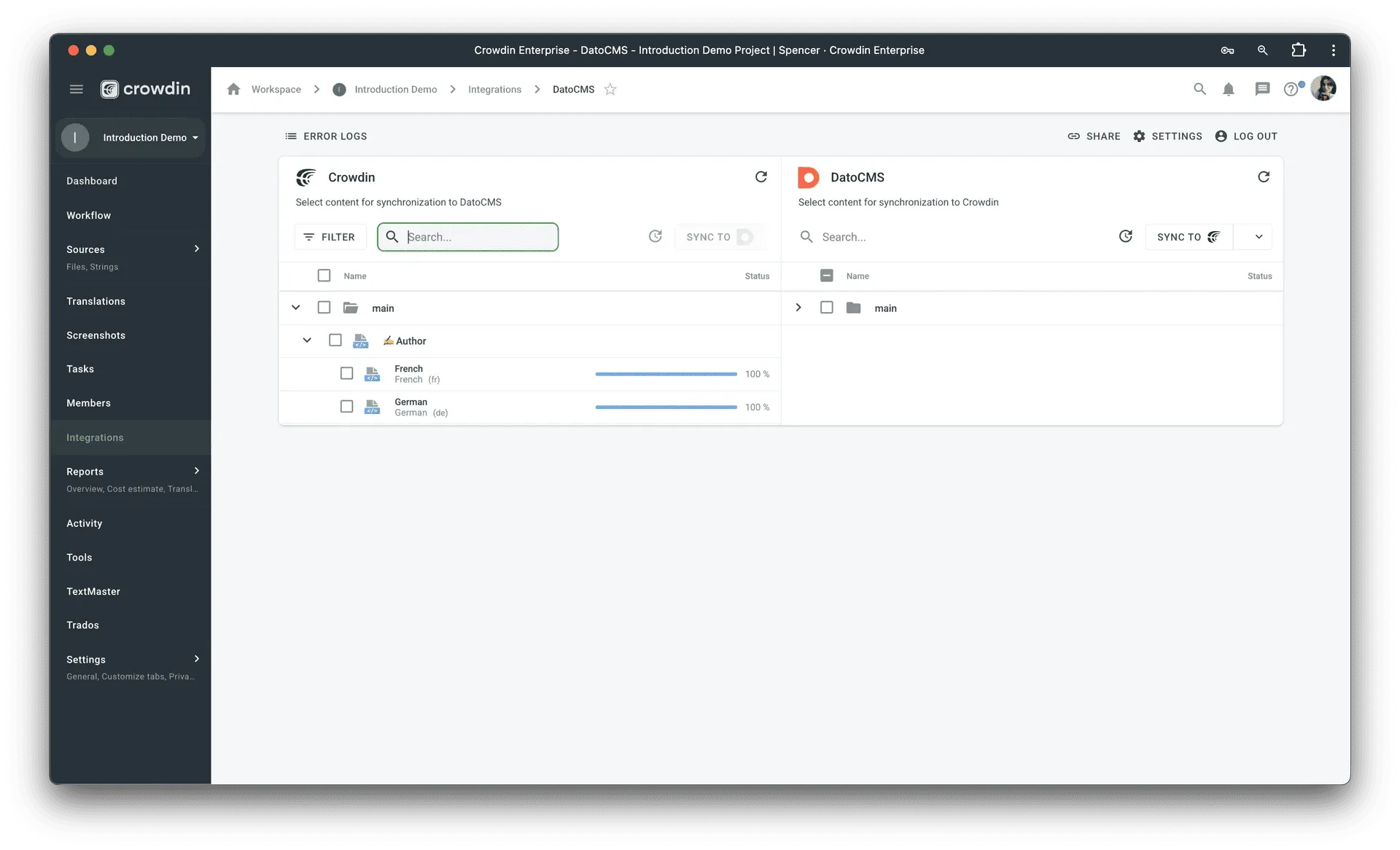
- Auto-sync to Crowdin: The connector pushes new/updated content to Crowdin automatically (or you trigger it manually via the plugin).
- Automated QA runs: Crowdin’s QA checks catch placeholder issues, length problems, terminology violations.
- Translation happens: Translators work with full context (field names, content structure).
- Sync back to DatoCMS: Completed translations flow back automatically.
- Editor’s preview: Your team previews translations in DatoCMS to see them in context.
- Monitor analytics: Watch bounce rate, conversion, time-on-page by locale.
- Iterate: When metrics show problems, investigate and fix.
With this approach, you maintain confidence across 20 languages without speaking any of them. You have coverage tracking, automated quality checks, analytics validation, and strategic human review, all working together in a system that doesn’t require you to manually export and import files or messy spreadsheets.
When you combine DatoCMS’s structured content approach with Crowdin’s connector, you create a workflow where problems are identified early enough through automated checks, issues get caught by analytics, and human reviewers focus their time where it matters. As you add new markets, new content types, and new team members, the workflow stays intact because it combines the best of multiple approaches.
Ready to try and scale a translation workflow that actually works? Explore the DatoCMS and Crowdin integration to see how both tools work together to make all this a reality.
Localize your product with Crowdin

Ronak Ganatra
Ronak is the Head of Marketing at DatoCMS - a GraphQL and REST based Headless CMS. He also co-runs a 2,500+ member Developer Marketing Community. Outside of work, he splits his time between finding Berlin’s best shawarmas, traveling, and being a mediocre aviation nerd. He’s based in Berlin.