

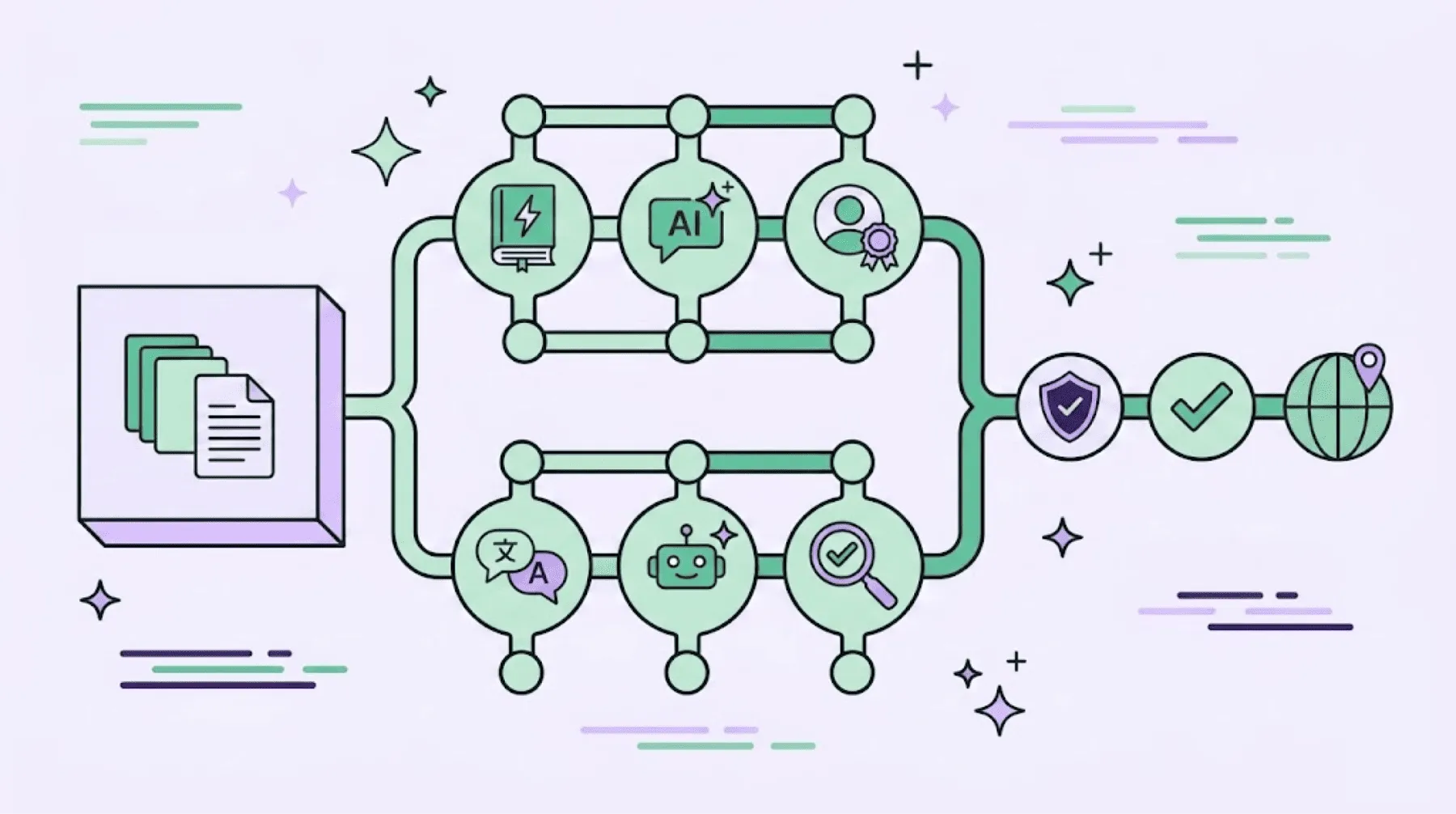
Efficiently managing localization workflows requires more than just moving files from point A to point B. In product or enterprise companies,, different types of content (like UI strings, technical documentation, or marketing copy) often require different processing steps.
In Crowdin Enterprise, a workflow is a visual sequence of steps that automates how content moves through translation steps. Instead of manually assigning tasks for every new batch of strings, you build a workflow template that handles the routing, translation, and review logic automatically.
In this article, we will discuss:
- How to automate and manage visual localization workflows to eliminate manual file handoffs.
- Workflow steps available in Crowdin Enterprise, from traditional to advanced AI features.
- Real-world enterprise use cases, including path filtering for legal compliance and handling rapid software releases without losing context.
Understanding the localization workflows
A workflow consists of individual steps connected in a specific order. You can connect steps sequentially (one after another) or in parallel (simultaneous tasks). When you create a workflow template, you define the rules for how strings progress or branch off based on certain conditions.
Once a template is assigned to a project, any new content uploaded to that project immediately follows the defined path.
To make it easier to get started, Crowdin Enterprise includes several pre-built workflow templates. All templates are fully customizable, so you can add or remove steps as your requirements evolve.
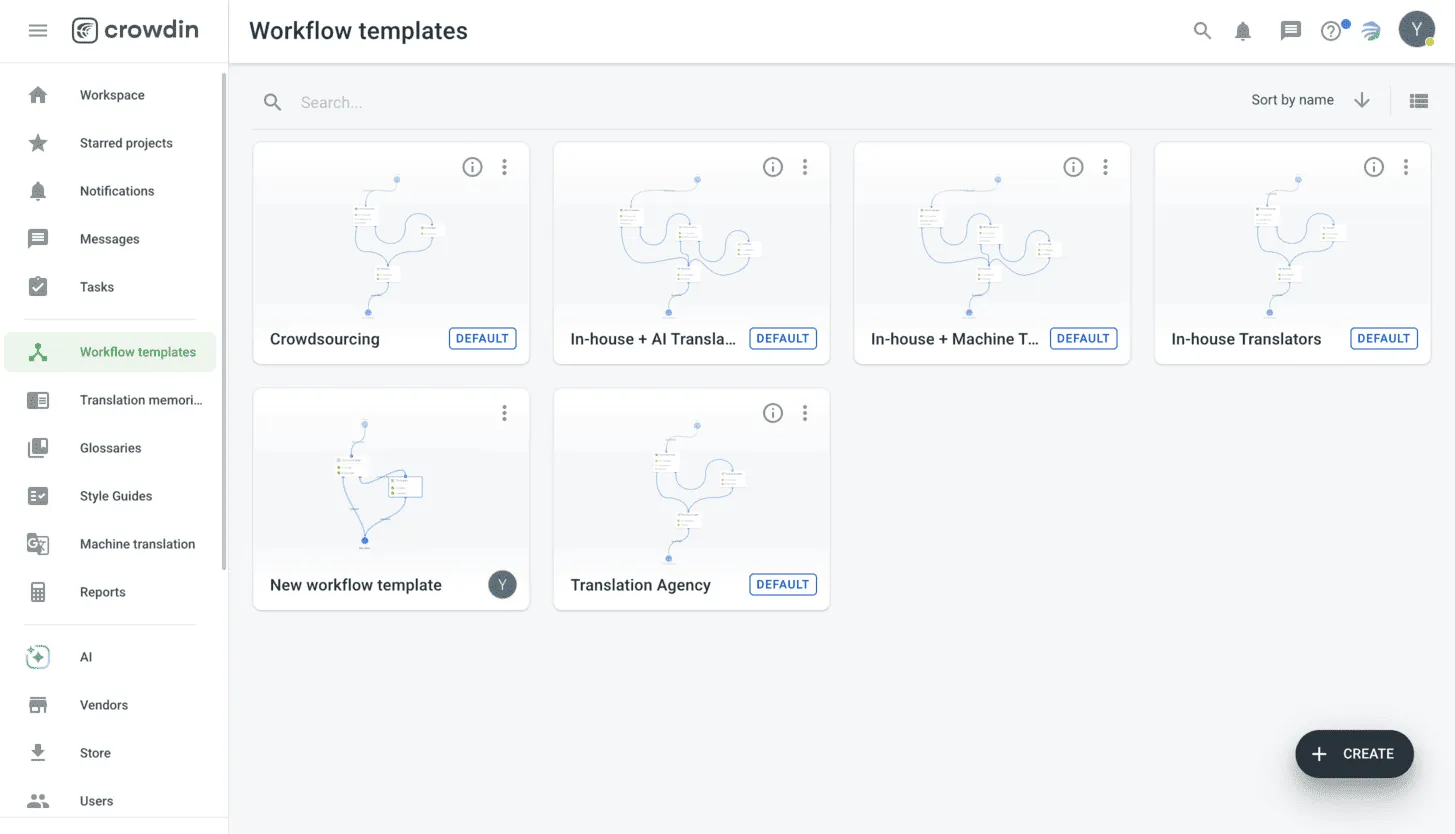
The workflow editor provides a toolbox for handling source content, automation, and human review. Each step is a discrete block with its own configuration settings.
Now let’s review all the steps you can use when creating your own localization workflow.
Which steps can you add to your localization workflow
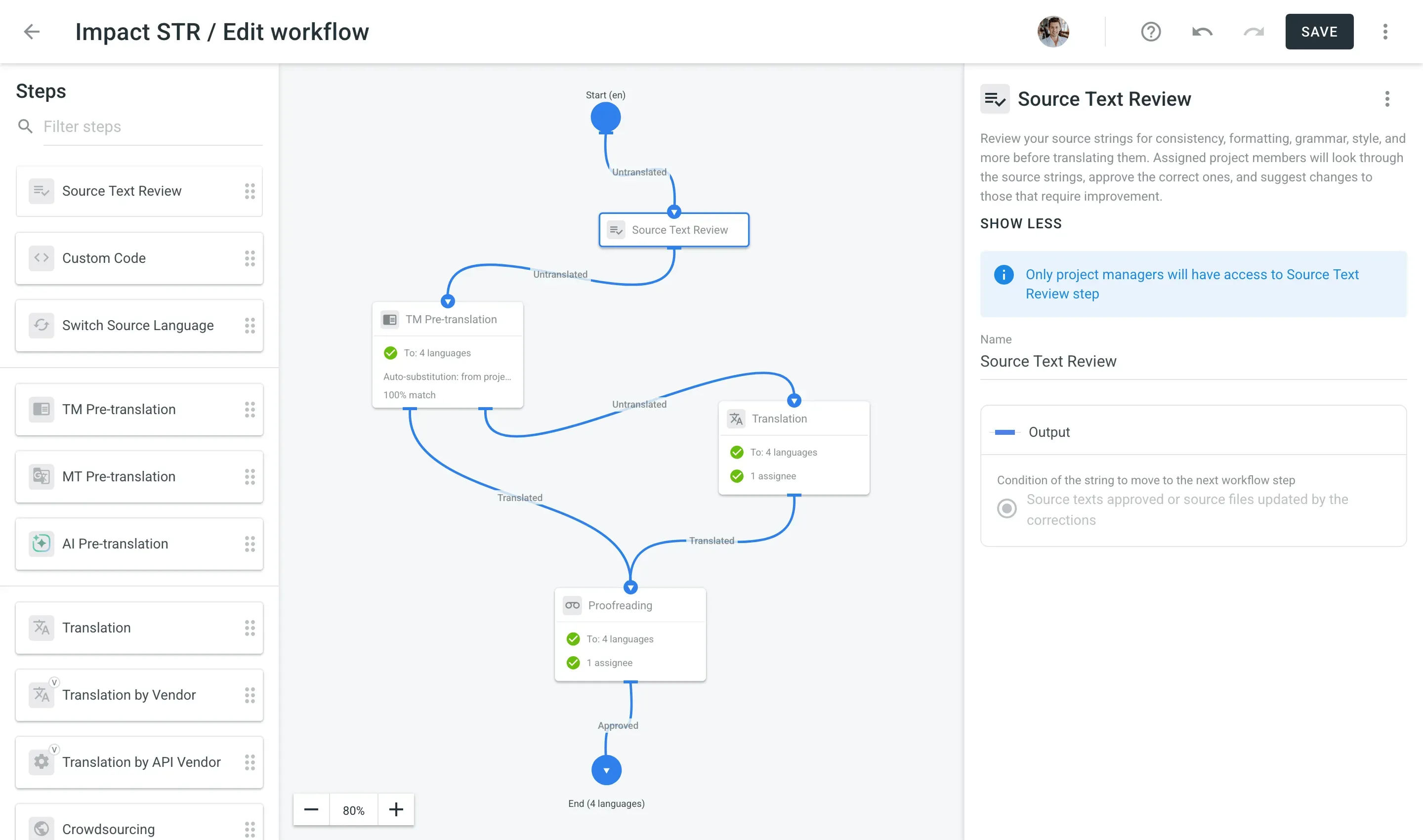
Source text review
This step allows editors or localization managers to review the original text before it reaches translators or automation engines. Use this step to ensure consistency in terminology, correct formatting, and accurate grammar.
By ensuring the source text is clear, you prevent translators from asking redundant questions later in the process. More importantly, it prevents mistakes made by AI and MT engines when they encounter ambiguous or poorly formatted strings.
Custom code
For logic that isn’t available out of the box, this step allows you to insert JavaScript. You can use the custom code workflow step in numerous scenarios. Here are a few use cases:
- Split and send one part of the strings to the translation agency and another part to in-house linguists.
- Send one part of the strings to AI translation and another part to crowdsourcing.
- Send some tasks to in-house proofreaders and another part to a translation agency.
Switch source language
Not every language pair has high-quality direct translation support. This step lets you pivot through a bridge language. For example, you can translate from Chinese to English, and then use the English version as the source for European languages.
TM auto-translation
This step checks your Translation Memory (TM) for matches. You can configure the “match threshold” (e.g., only apply if it’s a 100% or 101% match) to ensure only high-quality legacy translations are used automatically.
With translation memory, you won’t pay twice for the same translation, and your brand voice will remain consistent.
MT auto-translation
Despite the boom of AI translations, machine translation remains a popular option for enterprise localization workflows. You can connect to engines like Google Translate, DeepL, or Microsoft Translator, and more. Content enters this step and moves to the next with a machine-generated suggestion.
AI auto-translation
AI translation step uses LLMs (like OpenAI’s GPT models or Google Gemini) to translate your source text. Unlike standard MT, you can provide the AI with custom prompts and context to improve accuracy.
Learn more about AI localization workflows from our dedicated guide.
Translation and proofreading
These are standard manual steps. You assign specific languages to internal team members or freelancers. The content stays in these steps until a user marks the task as complete.
Translation/proofreading by vendor
This automates the handoff to professional translation agencies. Once content hits this step, it is packaged and sent to the chosen vendor’s portal.
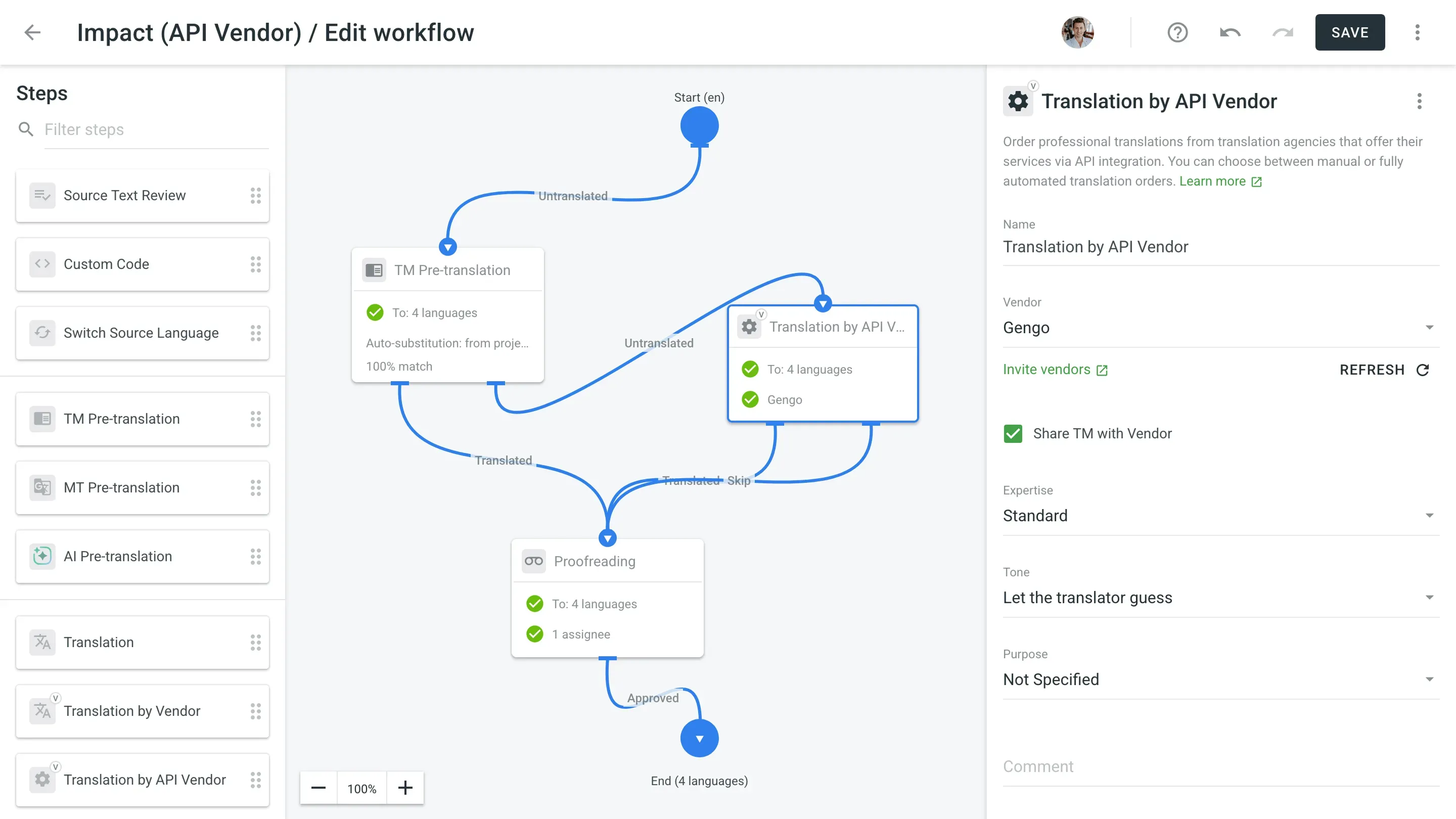
Translation by API vendor
Similar to the vendor step, but designed for agencies that work via direct API integration. This allows for fully hands-off orders where the agency receives and returns the content without manual file exports.
Crowdsourcing
This step creates a public-facing version of your project. It’s used for community-driven localization where volunteers can contribute and vote on translations.
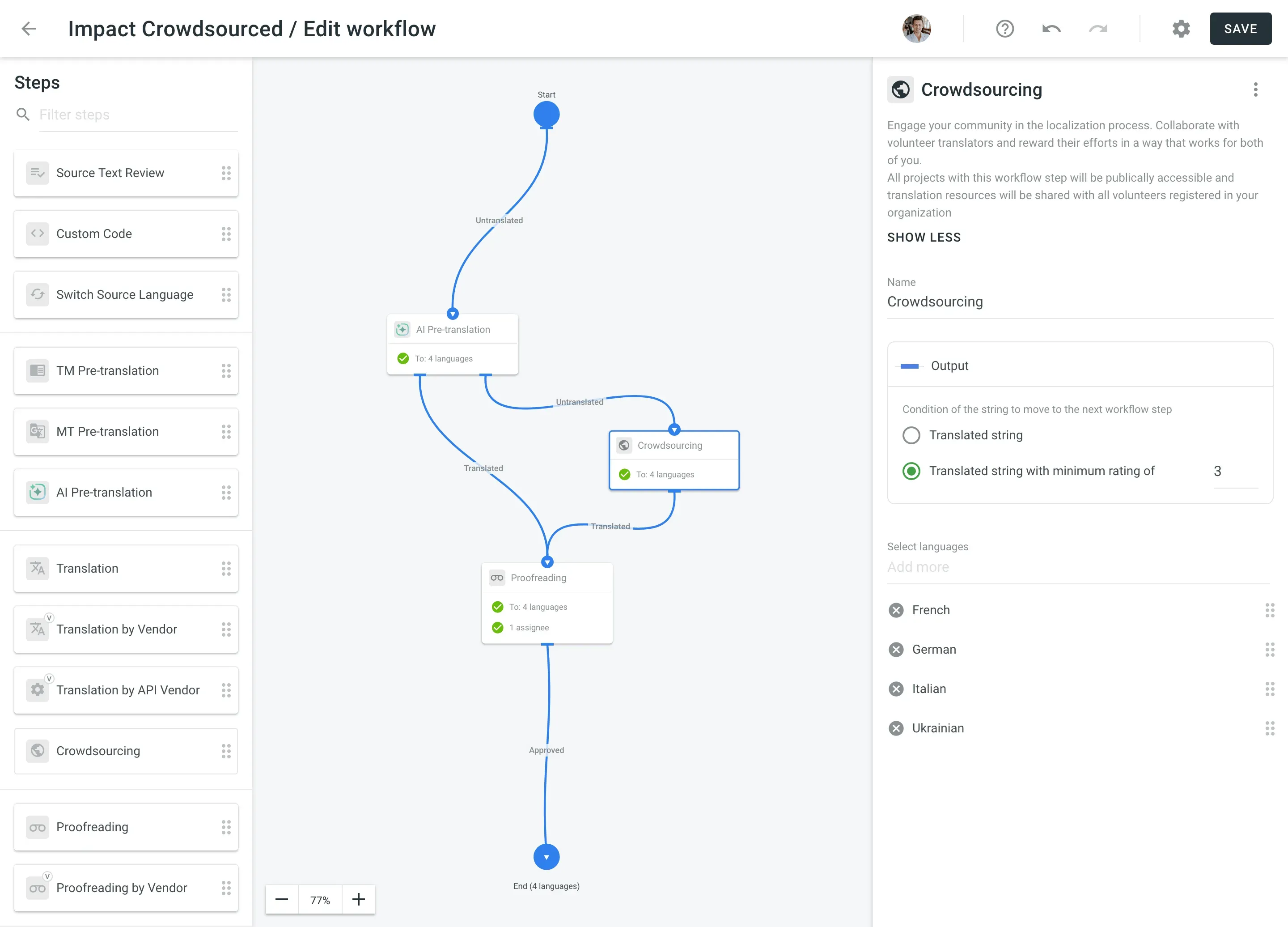
Sound a bit complex? No worries, our Solution Architects will help you set up workflows tailored to your needs
Advanced workflow apps
- Workflow Router Step: A logic-based step that branches the workflow. You can set rules like: “If string length < 10 characters, go to Human Translation; if length > 10, go to AI Auto-Translation”.
- Workflow Path Filter: This app allows you to route content based on the file’s location in your repository. You can send everything in the
/marketing/folder to a creative agency and everything in/locales/to your internal devs. - Workflow Step Delay: This adds a “hold” period. It is useful for batching content, such as waiting 24 hours before moving strings to the next step, or holding strings until an entire file is ready for review.
- AI Proofreader: An automated quality check step that uses AI to scan translations for style, tone, or grammar errors before a human proofreader sees them, or as a final check before export.
Real use cases: Building complex localization logic
1. Routing high-risk or legal content to human experts automatically
Problem: A company is localizing its entire platform. While machine translation works well for general UI content, sending legal terms, privacy policies, or terms of service through MT poses a compliance risk. Manual filtering by project managers is slow.
Solution: Use the Workflow Path Filter app.
- How it works: The workflow is branched at the start. You set a rule: If the file path contains
/legal/or/compliance/, move to the Human Translation step immediately. - Result: All other content (marketing, UI, help docs) follows an automated AI/MT path, but legal strings are “locked” into a human-only professional review path. This ensures compliance without slowing down the rest of the project.
2. Overcoming high costs and talent shortages for rare language pairs
Problem: You are a Chinese-based company expanding into the Nordic market. Finding direct, high-quality Chinese-to-Finnish or Chinese-to-Icelandic translators is difficult and expensive.
Solution: Use the Switch Source Language step.
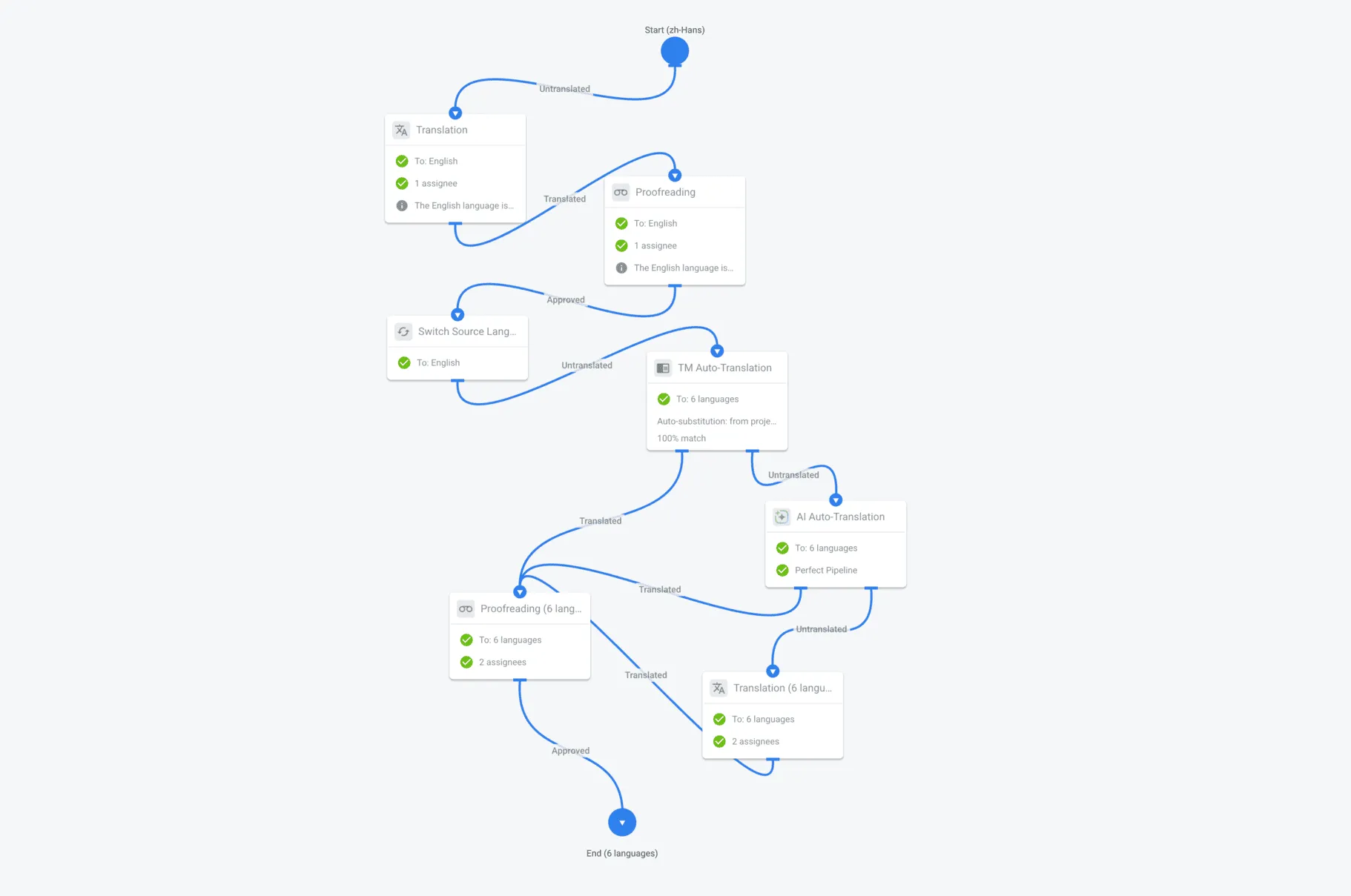
How it works:
- The source (Chinese) is translated into English first.
- A Proofreading step ensures the English version is perfect.
- The workflow then hits the Switch Source Language step.
- From this point forward, the workflow treats the English version as the source for all subsequent languages.
Result: You can now hire a wider pool of English-to-Finnish translators, resulting in higher quality and lower costs than trying to find rare direct-pair linguists.
3. Sorting strings by internal team vs. translation vendor without manual filtering
Problem: Not every string needs the same level of service. You might want to handle simple UI text in-house to save money, while sending complex backend strings or high-priority main-branch updates to a professional Translation Vendor. Manually splitting these files every time a developer pushes code is a bottleneck.
Solution: Use the Custom Code step to branch your workflow.
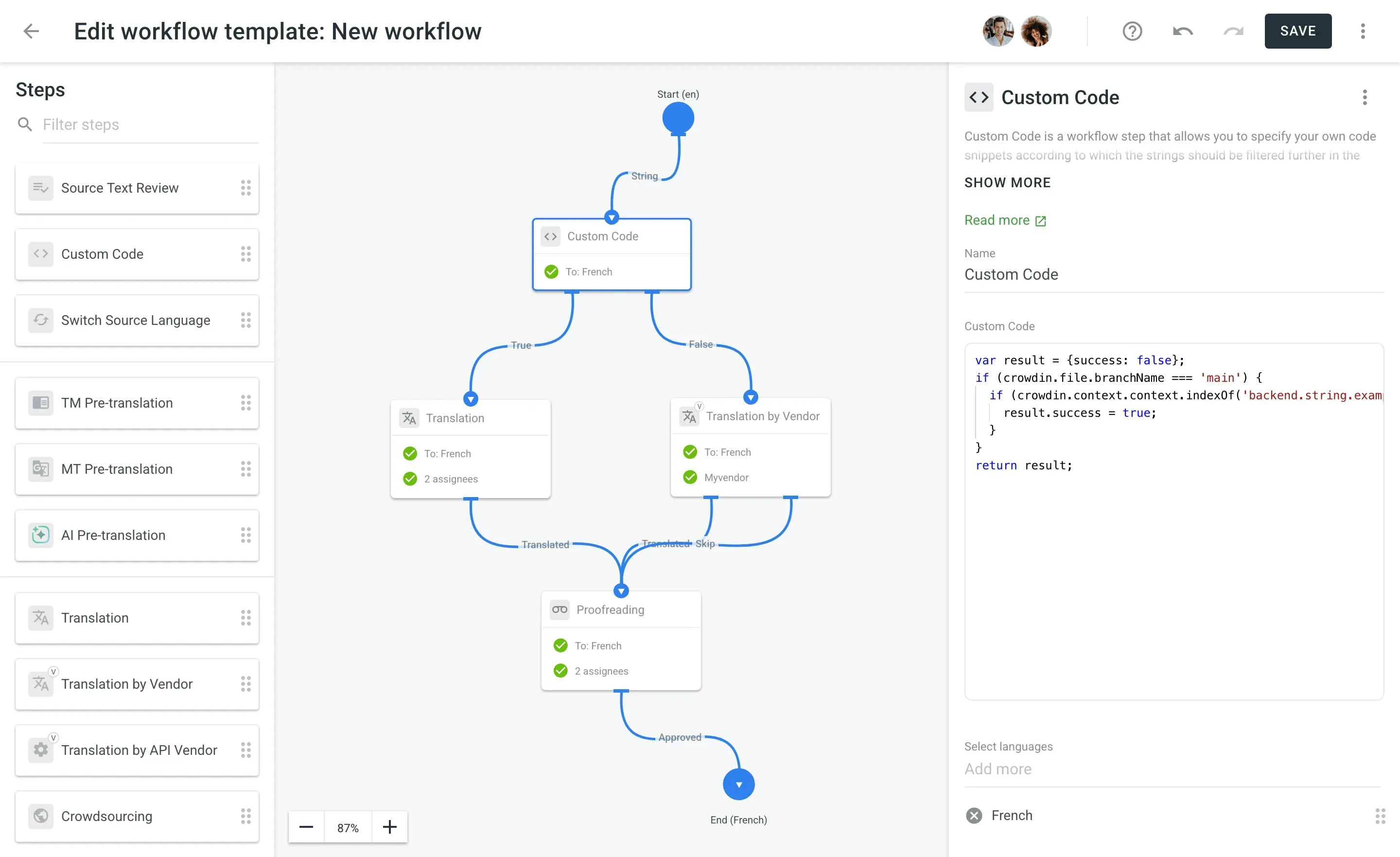
How it works: You write a short JavaScript snippet that looks at the string’s metadata – like its branch or its ID prefix. In the example above, the code checks if the string comes from the main branch.
- If true: The string is routed to your internal Translation team.
- If false: It’s sent automatically to your Translation Vendor.
Result: Your strings get to the right people instantly. You don’t have to manage the hand-off manually, and you ensure your budget is spent on the strings that actually require vendor expertise.
4. Preventing AI hallucinations caused by rapid and isolated code commits
Problem: LLMs fail when they are fed strings in isolation. If a developer pushes a single-button string like Run, the AI doesn’t know whether it means “to operate a program” or “to physically sprint”. Feeding an AI isolated, fragmented strings leads to wild hallucinations and incorrect terminology.
Solution: Use the Workflow Delay app to batch your content before the AI processes it.
How it works: Instead of letting strings hit the AI engine the second they are uploaded, you insert a delay step right before the AI translation stage.
- Cron Delay: By holding back strings and releasing them every 12 or 24 hours, you send the AI a complete layout of your new features all at once. The AI can then look at the surrounding strings to deduce the correct context.
- Wait for Full File Translation: This step ensures the AI doesn’t start translating a file until the entire file is present, preventing it from missing critical context.
Result: AI receives a coherent block of text rather than fragmented lines. By giving the engine the full picture, you improve translation accuracy and reduce the time your team spends fixing context errors.
Conclusion
Managing enterprise localization is about building a system that cuts out manual steps. By combining workflow steps, you move away from micromanaging files and let the platform handle string distribution.
The core strength of workflows inside Crowdin is customization. You can build a specific workflow for each scenario, ensuring the system adapts to your processes, not you to the system. Instead of changing your repository structure, file naming conventions, or team habits to fit a rigid tool, you configure the logic blocks to match how your company already operates.
Automate your localization pipeline today
FAQ
How should I set up my localization workflow if I’m translating into rare language pairs?
If you need to translate between languages where direct, high-quality translators are rare or highly expensive (for example, Japanese to Icelandic), use a workflow that routes content through a “bridge” or pivot language. By translating and proofreading the source text into a widely used language like English first, you can then automatically switch the source to English for the final target languages. This unlocks a much larger, more cost-effective pool of linguists.
What should I do if continuous code deployments are causing AI translation errors?
When developers push updates constantly, AI engines often receive fragmented, isolated words (like a single button text “Run”) without surrounding context, leading to translation hallucinations. To fix this, use a workflow step that delays and batches content. By holding and releasing strings every 12 or 24 hours, you send the AI a complete layout of your updates all at once, allowing the engine to see the full picture and deduce the correct meaning.
How can I automatically route legal or compliance text to humans while using AI for standard UI copy?
You can manage this without manual sorting by setting up a path-filtering step at the very beginning of your workflow. By defining automated rules based on your repository’s structure, you can mandate that any file uploaded from a /legal/ or /compliance/ directory bypasses automation entirely and routes straight to human professional reviewers. Meanwhile, standard UI strings from your /locales/ folder can be funneled into a faster, automated AI pipeline.
How do I build a workflow that prevents paying twice for identical text updates?
To eliminate redundant translation costs, always place a translation memory matching step at the absolute beginning of your workflow — before content ever reaches a human or an AI engine. By setting a high match threshold (such as 100% or 101%), the system will instantly scan your database of previously approved translations and apply them to recurring strings automatically. This maintains consistent brand messaging across your software while keeping duplicate costs at zero.
Can I build a fully automated localization workflow without any human translators?
Yes, Crowdin Enterprise allows you to eliminate human review entirely using two main automated approaches:
- Multi-Engine MT Cascade: Content passes through Translation Memory first. Untranslated strings go to a primary engine (like Google Translate), and any unsupported or failed languages automatically drop down to a backup engine (like Amazon Translate).
- AI Pipeline: Content is processed by an LLM (like GPT or Gemini) using your custom prompts and glossaries. It then automatically moves to an AI quality-check step to fix grammar and style bugs before final export.

Yuliia Makarenko
Yuliia Makarenko is a marketing specialist with over a decade of experience, and she’s all about creating content that readers will love. She’s a pro at using her skills in SEO, research, and data analysis to write useful content. When she’s not diving into content creation, you can find her reading a good thriller, practicing some yoga, or simply enjoying playtime with her little one.